
Ordering custom leavers hoodies
Custom leavers hoodies are a lovely way to celebrate your graduating year group, class or staff team. You can collect everything yourself and place one bulk order for your school, or ask us for an online Storefront so students order for themselves. You can also reorder a design from a previous year, order extra hoodies after delivery, or order a single or replacement hoodie.
Hoodies are priced on their own, so the price is the same whether or not you also order yearbooks. If you're ordering both, you can still pay for them together in one payment.
How much do hoodies cost?
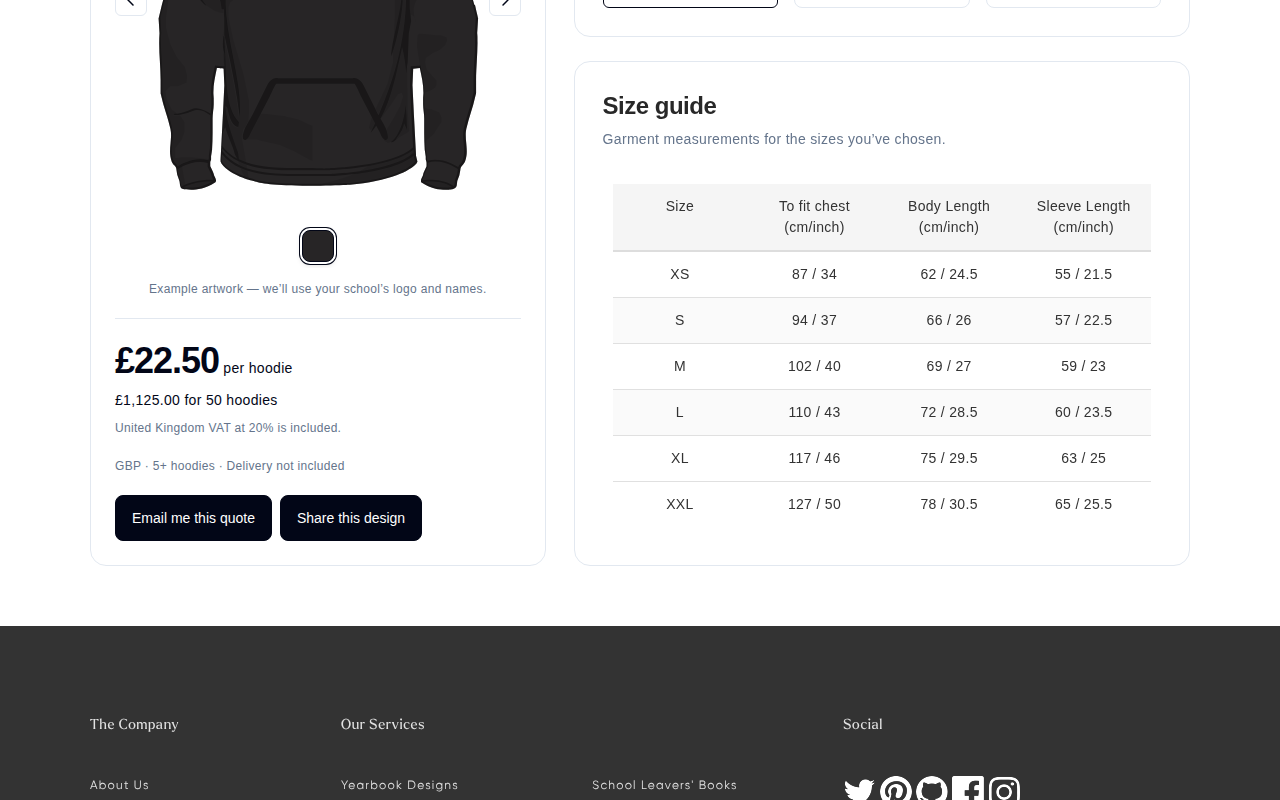
Hoodie prices come from our live hoodie calculator at yearbook.com/hoodies. It prices your own mix of sizes, colours, customisation and quantity, so it's the quickest way to see what you'll pay.
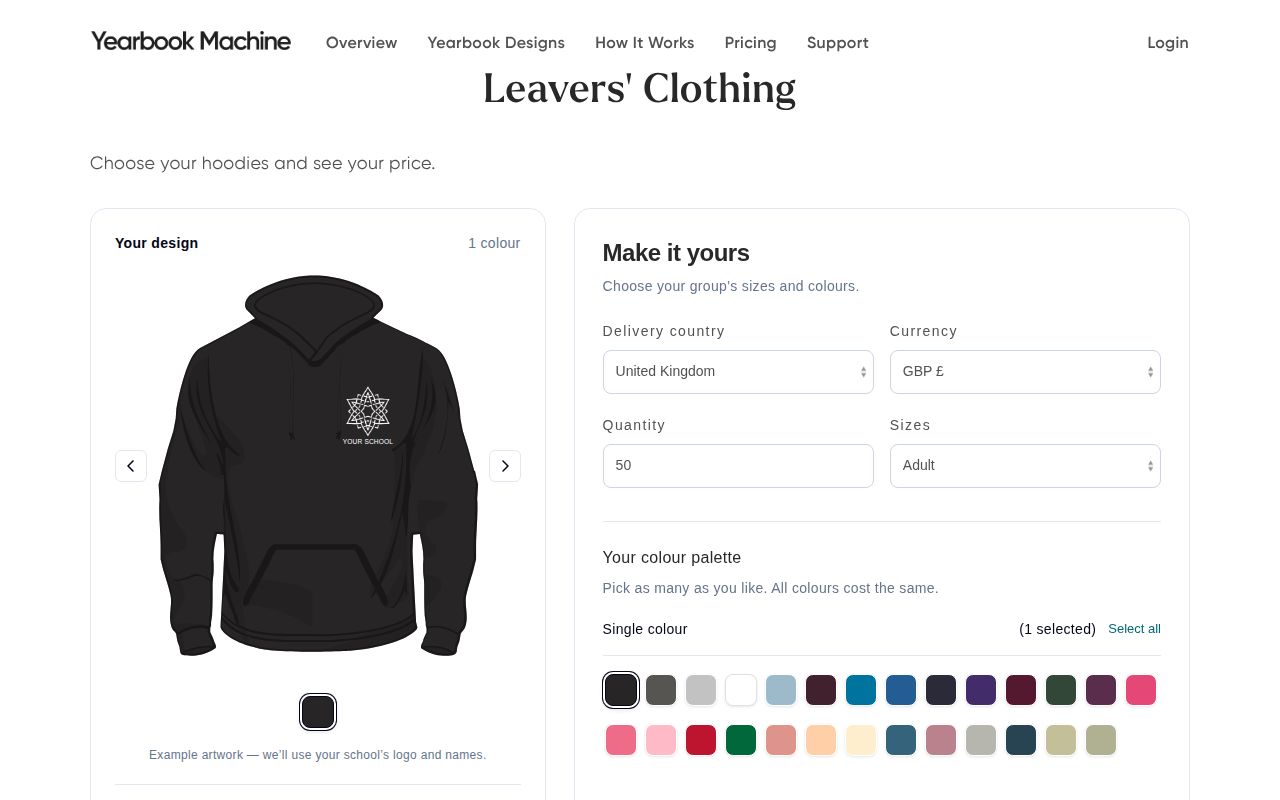
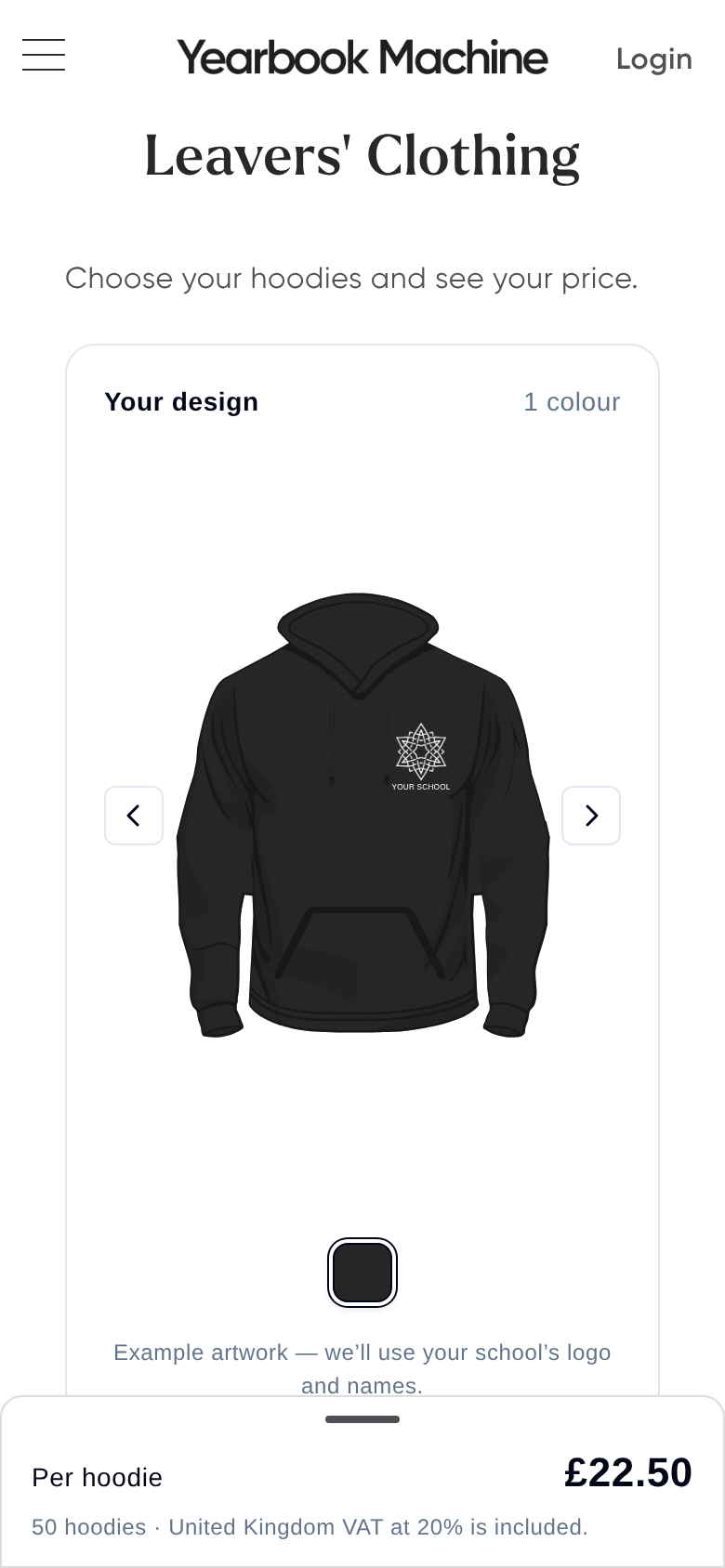
The price per hoodie depends on:
- Your quantity band: the more hoodies you order, the lower the price per hoodie.
- Adult or child sizes: child sizes cost less than adult sizes.
- Your design: for example one- or two-colour designs, embroidery, sleeve printing and extra custom text.
When we send you a quote, it will confirm your exact price and which quantity band it covers.
If you've seen a different price in a guide, invoice, email or price list, please use the calculator instead. It always shows the current price.
Do I need a yearbook or a deposit to get the best hoodie price?
No. Everyone gets the same hoodie price, with or without a yearbook. There's no separate yearbook discount on hoodies, and no deposit to pay to secure a hoodie price.
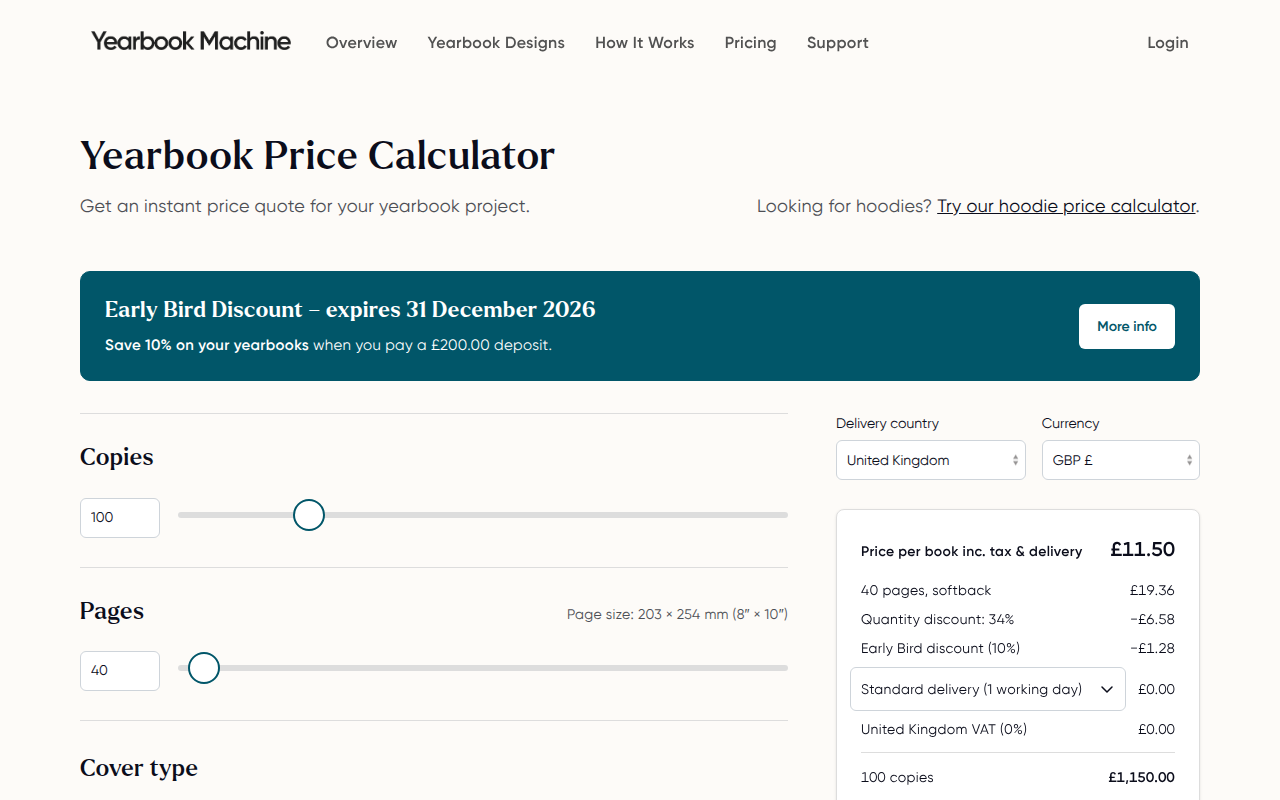
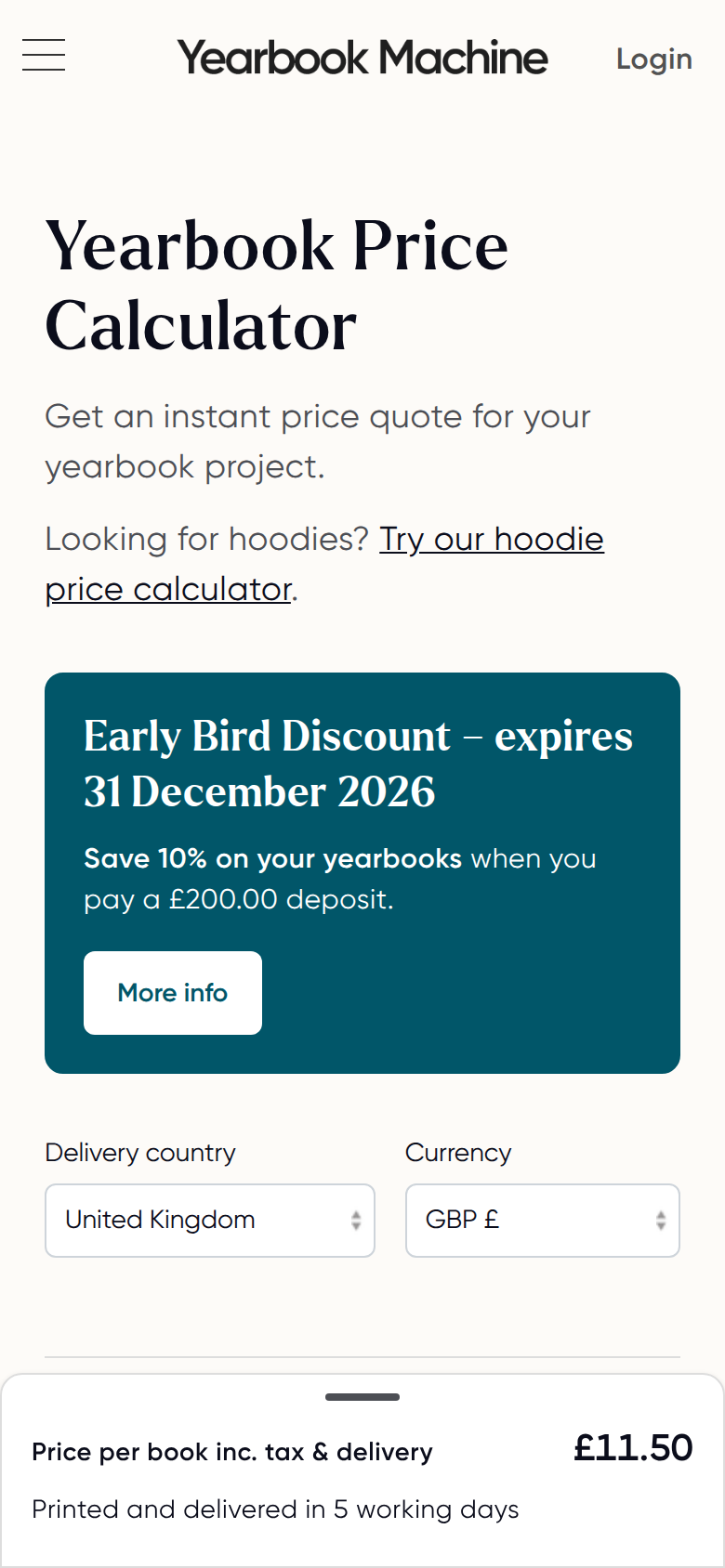
Our Early Bird offer applies to yearbooks, not hoodies. You don't need a code for it: the pricing calculator at yearbook.com/pricing applies it to your yearbook automatically. Check the Early Bird discount shows as applied before you choose Email my quote, then pay the deposit from the emailed link.
We don't run a review discount code, and we don't offer a free item for posting a video on social media.
How many hoodies can I order?
Hoodie orders start from 5 hoodies. Small orders are welcome, but the price per hoodie is higher below the larger quantity bands. Check the calculator at yearbook.com/hoodies to see how the price changes with quantity.
What's on the standard leavers hoodie?
Our default leavers design has:
- On the front: your school crest, embroidered.
- On the back: your graduation year, filled with the names of everyone in the year group.
The back doesn't show one individual name. We may send you a couple of versions to choose from, such as names jumbled inside the numbers or names repeated to fill them.
You can change the design to suit you, for example adding sleeve printing, choosing a one- or two-colour design, or adding individual names. Just mention what you'd like when you ask for a quote. You can also have more than one line of custom text, such as a name and a department for staff hoodies. Your quote and mockup show exactly what's included for your school.
Choosing your colours and style
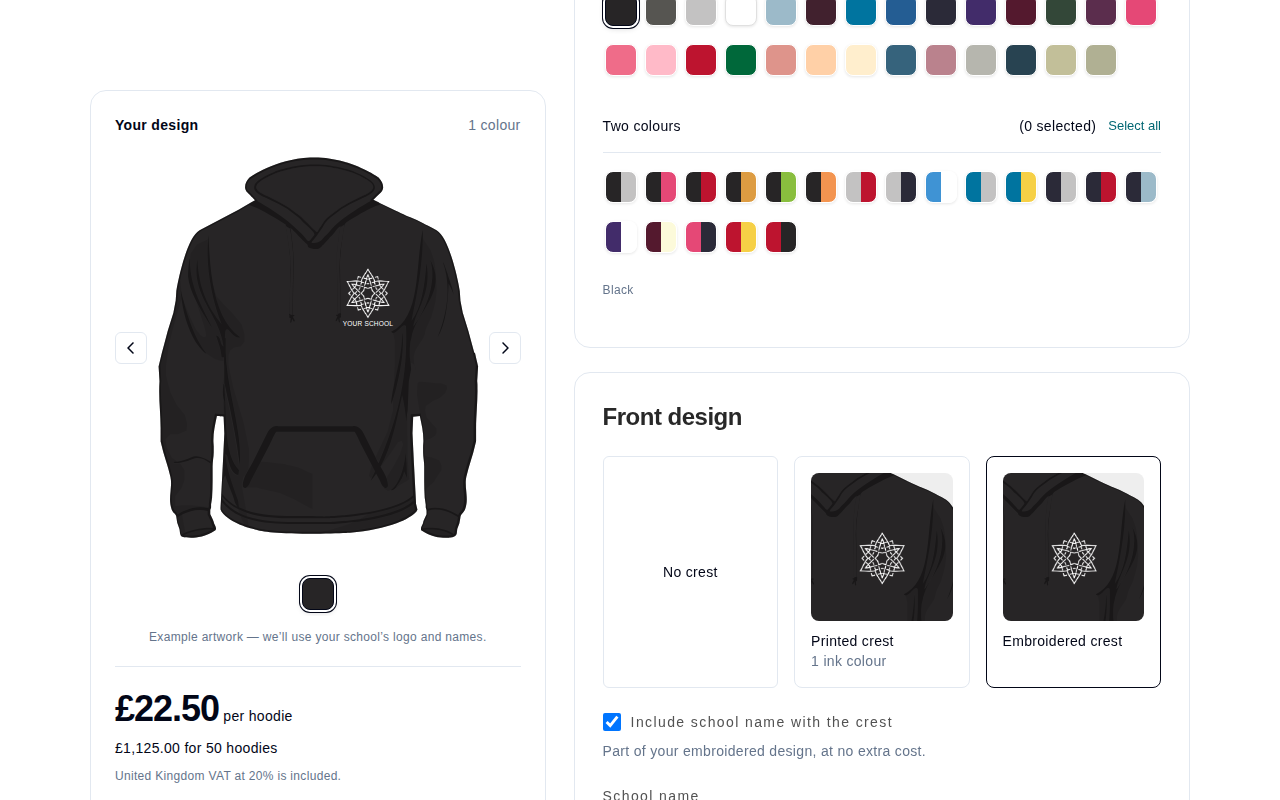
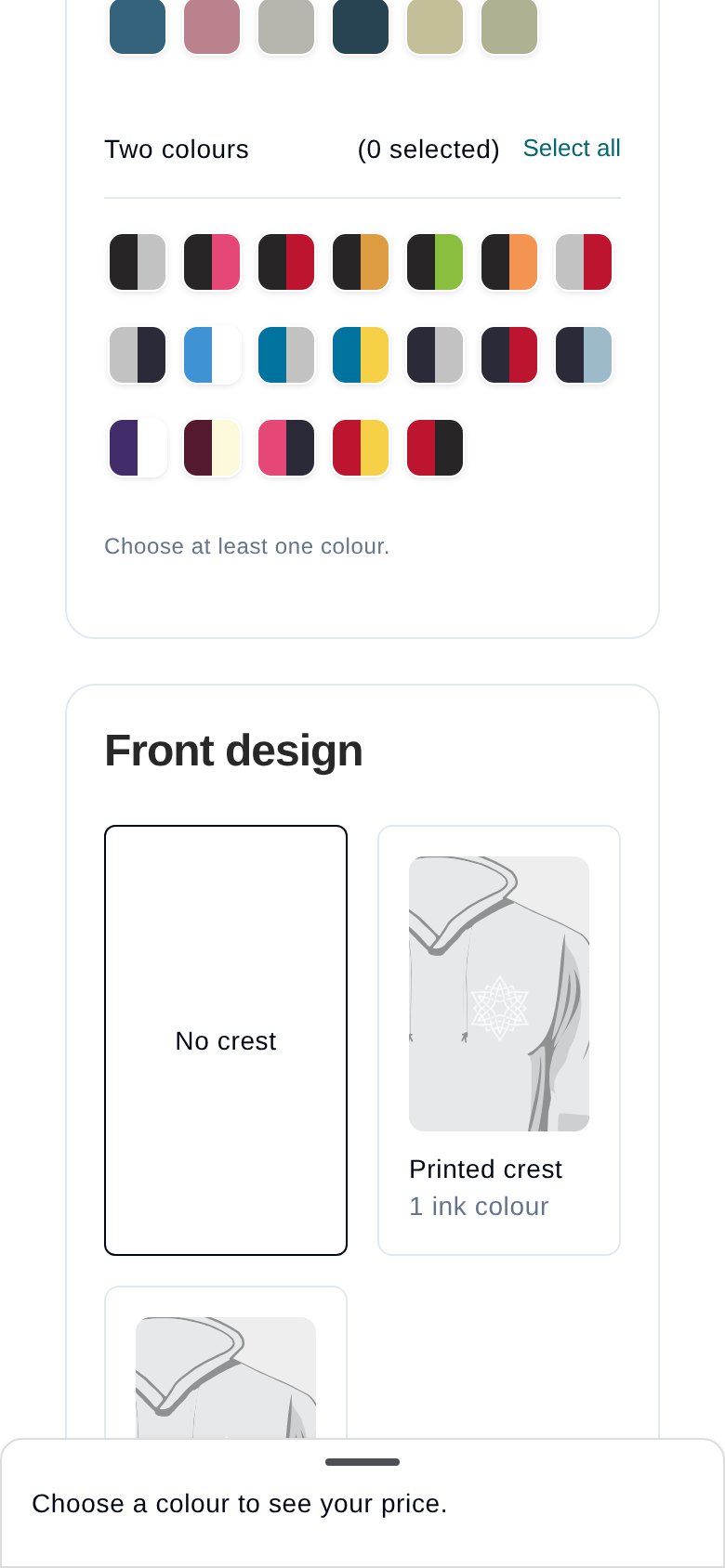
Use the hoodie calculator at yearbook.com/hoodies to see the available styles and colours, such as Grey, Navy, Black, Powder Blue, Royal, Red, Kelly, Burgundy and Baby Pink, plus two-colour options like Burgundy / Ecru or Navy / Powder Blue. When you've chosen, send us your colour choices and design ideas. We'll check the colours you want are in stock, and your quote will confirm the price.
Trying sample hoodies for size
If you'd like to check sizes before you order, you can order sample hoodies:
- Tell us the sizes and colours you'd like to try, for example S, M and L.
- Pay for the samples using the payment link we email you. If you can't see the email, check your junk folder.
- Receive your samples. The parcel includes a card with a link to your return page.
- Send the samples back within 30 days of delivery, and we'll give you a full refund. Open your return page from the link in your email or on the card, tap Get a Royal Mail QR code, then take the hoodies to a Post Office and show the code at the counter. They print the label for you, so you don't need a printer. If your refund is paid by bank transfer, it reaches you within 5 to 10 working days.
Choosing sizes
You can mix adult and child sizes in the same order.
- Child sizes run from age 3 to 4 up to age 12 to 13 in single-colour hoodies, and up to 9 to 11 in two-colour hoodies. Child sizes don't have drawstrings.
- Adult sizes run from XS to 6XL in single-colour hoodies, and from XS to 3XL in two-colour hoodies. Adult sizes have drawstrings. We check the sizes you need against current stock when we confirm your quote.
Children's sizes
Chest, body length and sleeve length for each age:
| Size | Chest | Body length | Sleeve length |
|---|---|---|---|
| 3 to 4 | 64 cm / 25 in | 44 cm / 17.5 in | 39 cm / 15.5 in |
| 5 to 6 | 69 cm / 27 in | 48 cm / 19 in | 42 cm / 16.5 in |
| 7 to 8 | 74 cm / 29 in | 52 cm / 20.5 in | 46 cm / 18 in |
| 9 to 11 | 82 cm / 32 in | 59 cm / 23 in | 50 cm / 19.5 in |
| 12 to 13 | 84 cm / 33 in | 62 cm / 24.5 in | 55 cm / 21.5 in |
The largest child size is 12 to 13. If a child has outgrown it, choose adult XS (chest 87 cm / 34 in).
Adult sizes
Chest, body length and sleeve length for each size:
| Size | Chest | Body length | Sleeve length |
|---|---|---|---|
| XS | 87 cm / 34 in | 62 cm / 24.5 in | 55 cm / 21.5 in |
| S | 94 cm / 37 in | 66 cm / 26 in | 57 cm / 22.5 in |
| M | 102 cm / 40 in | 69 cm / 27 in | 59 cm / 23 in |
| L | 110 cm / 43 in | 72 cm / 28.5 in | 60 cm / 23.5 in |
| XL | 117 cm / 46 in | 75 cm / 29.5 in | 63 cm / 25 in |
| XXL | 127 cm / 50 in | 78 cm / 30.5 in | 65 cm / 25.5 in |
Sizes 3XL to 6XL are labelled by chest size: 3XL 53 in, 4XL 56 in, 5XL 59 in and 6XL 63 in. The Size guide on the hoodies page stops at XXL, so it doesn't show these sizes. If you need their body or sleeve lengths, ask us and we'll check with our supplier.
Picking the right size
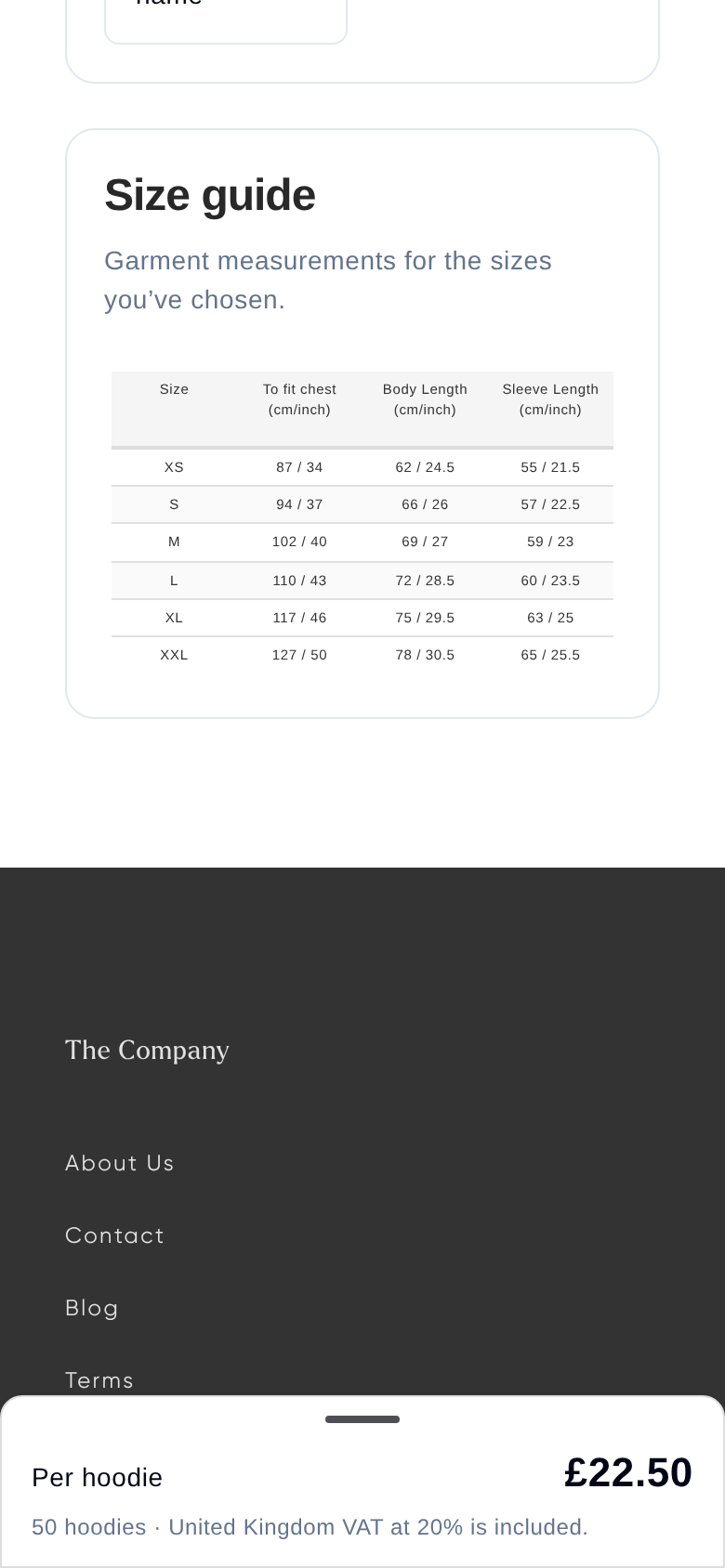
- Open the Size guide. On yearbook.com/hoodies, choose Adult, Children's or both under Sizes. The Size guide section further down the page shows the measurements for those sizes. If you'd like a copy to share with your pupils, just ask and we'll email it to you.
- Compare the chest measurement with a hoodie that already fits well.
- For a baggier fit for older children (for example, age 11), consider adult XS (87 cm / 34 in chest) or adult S (94 cm / 37 in chest) rather than the largest child size. Remember adult sizes have drawstrings.
- List each person's size in your order. Adult and child sizes can sit side by side.
If you're ordering close to a busy time of year, ask us to check that the sizes you need are in stock. If a child size is out of stock, adult XS or S can be a good alternative.
Getting a quote
To get an accurate quote and design mockup, send us:
- Your colours and customisations: for example embroidery, a school crest, sleeve printing, one- or two-colour designs, and whether you'd like names.
- Your student list: if names are going on the back, send them in a spreadsheet and tell us whether you want full surnames or surname initials (for example, first name and last initial). Add nicknames if you'd like them. If your list isn't final yet, see below.
- An estimated quantity: prices depend on which quantity band your order falls into, so a realistic estimate helps.
- Your preferred payment method: one school invoice, individual online card payments by students, or a mix of both.
- Your timing: when you need the hoodies by.
- Your delivery preference: one bulk delivery to school, or delivery to individual home addresses.
Watch the quantity bands. Your quote is based on your estimated quantity. If your final order drops into a lower band (for example, under 100 hoodies), the price per hoodie goes up. Quotes given early in the season are guide prices and may change before spring.
Sending your own artwork
If you have your own design in mind, send it with your quote request:
- Send us a high-resolution file of your design for the back, plus any sleeve or front print details.
- Check the width of your back design. The back print is up to 28 cm (280 mm) wide. If your design is wider than that, we can resize it to fit. Just tell us when you send it.
- Tell us the colours you'd like. We check your chosen hoodie and print colours against current stock.
- Mention any special details, such as custom toggles or hem labels. These aren't part of our standard options, so we can't promise them, but we'll look at your request.
- Tell us your quantity and the date you need the hoodies by so we can give you a final quote and mockup.
Staff hoodies
Staff hoodies work the same way: orders start from 5, and the price per hoodie gets lower as your order gets bigger. Check yearbook.com/hoodies for the price at your quantity, and your quote will confirm the exact price for your design.
Adding a department line underneath each person's name is free of charge. To order:
- Choose your colours and whether you'd like a one- or two-colour design.
- Put together your list with each person's name, department, hoodie colour and size.
- Email the list to us and we'll send you a digital mockup and payment details.
If your name list isn't ready yet
You don't need a final class list to get started. Many schools find their list changes, especially at the start of a term.
- Ask for your quote and mockup with the details you have, and let us know your name list will follow.
- Send us your final name list when it's ready, telling us whether to use full surnames or initials.
- Check the updated mockup with the final names before you approve it.
If your students already have yearbook accounts, we can take the names from their yearbook profiles instead. If you choose this, make sure every student who should be on the hoodie has signed up first.
Your final mockup and name list need to be approved before your order closes, with enough time left for the turnaround times below.
Ordering as a school (bulk order)
This is the best option if your school is collecting the details and payments directly.
- Collect the details from your students: sizes, colours and the names to be printed.
- Send us your order details and name list.
- Review and approve your design mockup (see below).
- Pay your invoice or send us a purchase order. Your hoodies go into production once we have it, and arrive in one delivery to school.
Ordering through an online Storefront
If you'd rather not collect sizes yourself:
- Ask us to set up a Storefront for your hoodies. Let us know your colours, customisations, expected quantity, the date you need the hoodies by and where they should be delivered.
- Share your personalised Storefront link with students and parents.
- Students choose their hoodie: each student picks their size and colour and enters their customisation details before your Storefront closes.
- Choose how payment works: students pay by card through the Storefront, or you can choose a single school invoice or a mix of both. With a school invoice, students choose without paying, and we invoice the school for the final number of hoodies once the Storefront closes.
- Approve your final mockup and name list before the Storefront closes. Nothing is printed until you've approved it.
Plan your closing date. Production and delivery usually take 9 to 15 working days after your Storefront closes, so your Storefront needs to close, and your final mockup and names need to be approved, at least 3 weeks before the date you need the hoodies. For example, if you need hoodies by 5 February, aim to have everything closed and approved by 15 January. If you need more time, ask us before the closing date and we can extend it. If there are late additions or duplicate orders after it closes, let us know and we can adjust the order before it goes to production.
Your final price is based on the total number of hoodies ordered when the Storefront closes. If that number lands in a different quantity band from your estimate, the price per hoodie will change, and we'll tell you before we invoice.
Delivery of the whole batch to school is free. Students can choose home delivery for a fee shown at checkout.
Selling hoodies and yearbooks at the same time
If you've had duplicate yearbook orders in the past, decide up front how you'd like to sell them:
- Separately: open hoodie orders now and yearbook orders later, so families only see the yearbook once.
- Together on one Storefront: this works well, but your yearbook details (such as page count and cover type) need to be decided first so the yearbook price can be fixed.
You can start designing your yearbook before any Storefront opens: log in, go to your Bookshelf and choose Create a book.
Collecting payment through your school's own system
If your school collects payment itself, for example through ParentPay, we can set up your Storefront so students choose their hoodie without paying online. Tell us the wording you'd like them to see, for example "Make payment via ParentPay".
If you're offering subsidised or bundled prices (for example, pupil premium support), we can also hide the prices on your Storefront so students only see the hoodie options. If students don't see a price, that's expected.
Sign-up notifications
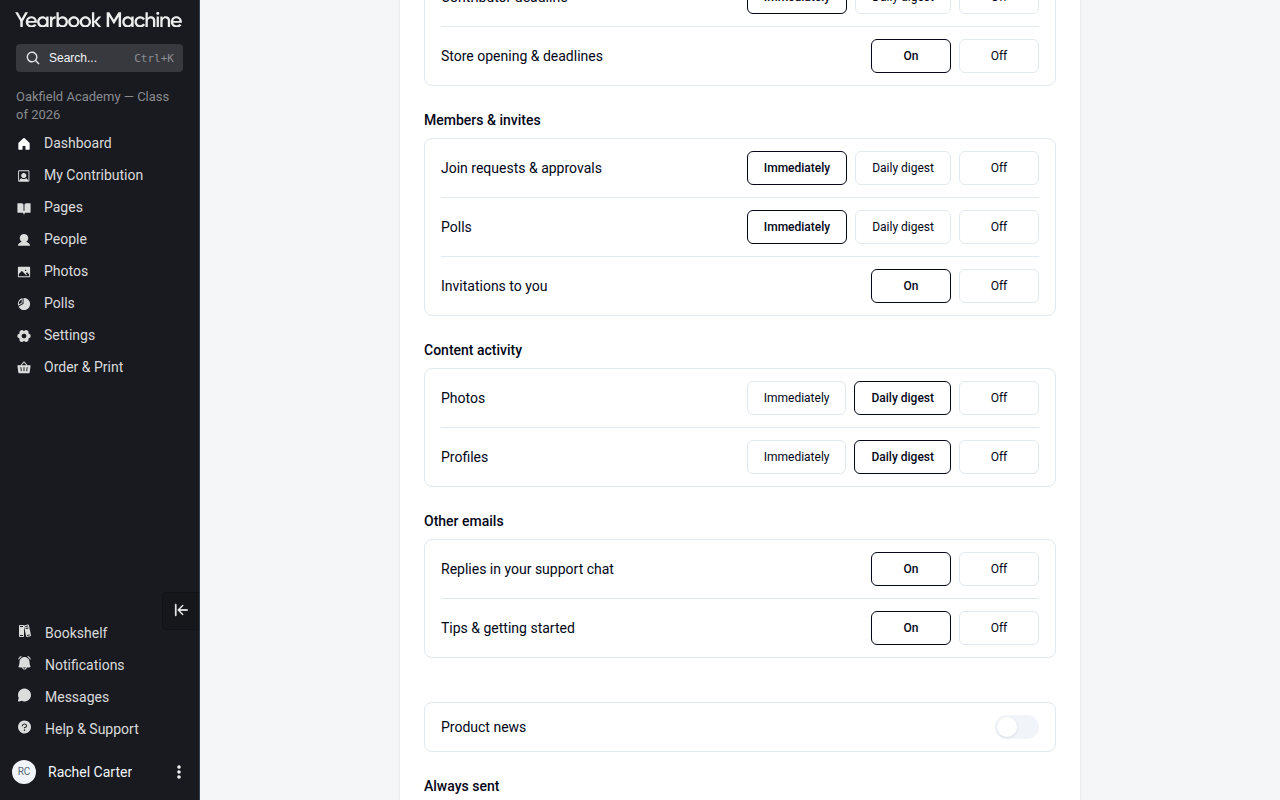
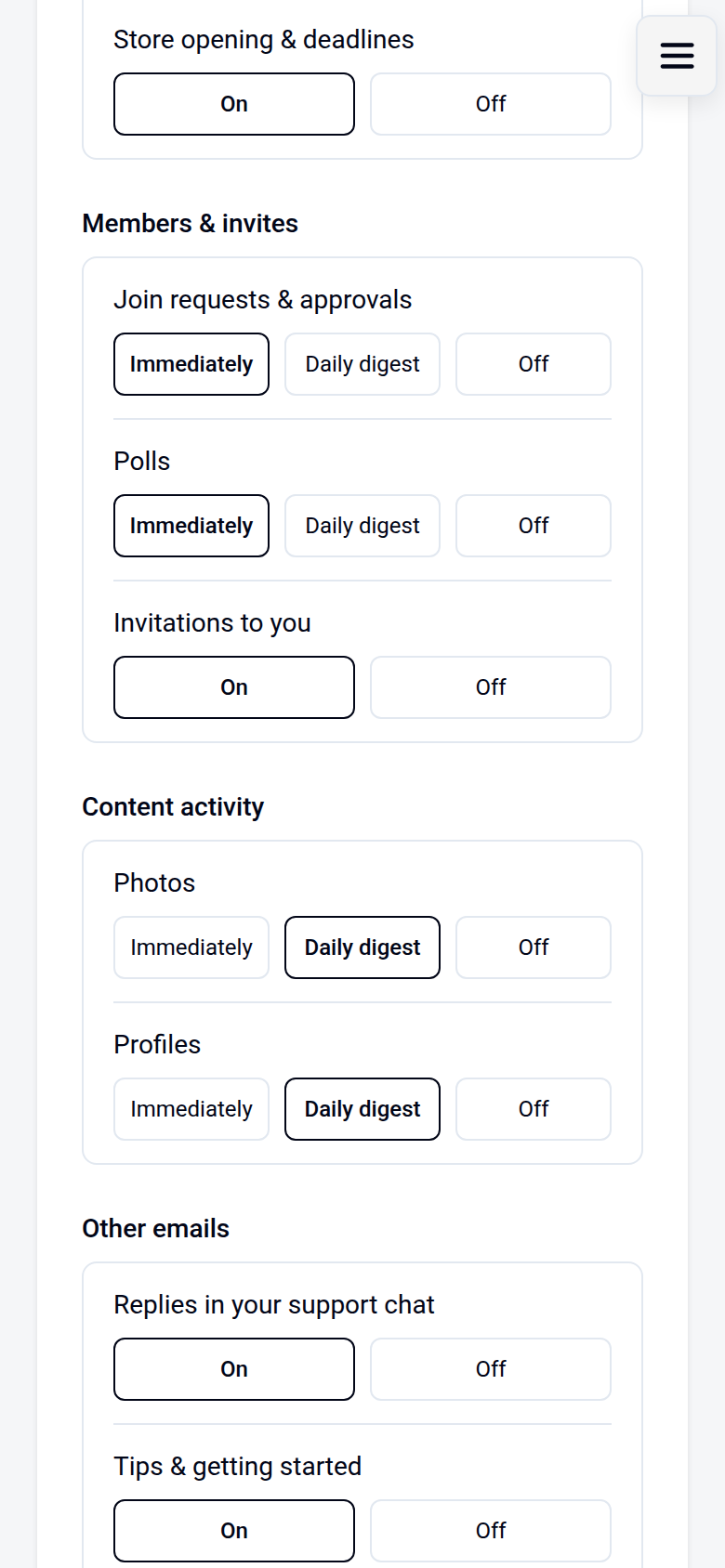
Join requests that need your approval can be emailed to you. Choose how often under Join requests & approvals in the Emails card at yearbook.com/my-account. Other sign-ups appear in your in-app notifications. Each editor changes their own settings.
Reordering last year's design
If you'd like the same hoodies for a new year group, you don't need to start from scratch:
- Tell us you'd like to reorder last year's hoodies, and let us know anything that's changing, such as a new colour or design tweak.
- Send your new details: the updated student name list, an estimated quantity, your payment preference, your delivery address and the date you need them by.
- Review your updated quote and mockup. Prices come from the current calculator for your new quantity, so they may differ from last year. Check that the year on the design shows your new graduation year, then approve it to go ahead.
Ordering extra hoodies after delivery
If a few students missed out or need another size after your main order has arrived:
- Contact us with the exact sizes, colours and quantities you need.
- Review your quote and invoice. A small top-up order usually costs more per hoodie than your original order, because it falls into a smaller quantity band.
- Confirm where the hoodies should be delivered and pass the invoice to your finance team for payment.
Checking and approving your design proof
- We'll email you a link to review and approve your mockups. If you can't find it, check your spam or junk folder. If the link won't open, contact us and we'll help you get to your mockup.
- Check your names carefully, including spelling, duplicates and the correct year. If your class list changes, send us the updated list and we'll update the mockup.
- If you sent your own artwork, check it looks the way you expect. If anything seems too small or hard to read, tell us before you approve.
Paying for your order
Always pay using the bank details on your latest invoice. If you think you may have paid using older bank details, or you'd like to check a payment has arrived, contact us with your invoice numbers and we'll confirm it for you.
If you have more than one invoice, for example one for yearbooks and one for hoodies, each item goes into production once its own invoice is paid. Once we've confirmed your payment, we'll let you know your expected delivery dates.
How long it takes
Allow at least 3 weeks, and ideally about 4 weeks, from design approval and payment to delivery. For example, to receive hoodies in early June, place your order and pay by early May.
Ordering a single or replacement hoodie
If you need one hoodie, or a replacement for a damaged or outgrown one:
- Tell us your size, colour and design details, including any custom text, and who the parcel should be addressed to (for example the parent or the student). If you're not sure what the back will look like, ask for a sample mockup before you pay.
- Pay the invoice using the payment link we send. Your invoice will show the exact price for your hoodie. Single hoodies cost more per hoodie than a group order.
- Send us your full delivery address. Your hoodie goes into production once we have both your payment and your address.
- Track your delivery using the link we send when your hoodie is dispatched. Single hoodies usually arrive within 2 to 3 weeks.
If your hoodie hasn't arrived
- Contact our support team with the name on the order and the delivery address. Please don't email our accounts address, as it isn't monitored and we won't see your message.
- We'll check your order and arrange a replacement hoodie to be sent out as soon as possible.
- We'll confirm the details of your replacement and when it will be dispatched.
Was this article helpful?
Sorry, that didn't send. Please try again in a little while.
Thanks. That helps us improve this article.
Any other questions?
Email support@yearbook.com and we'll help you out.