
Delivery: how long it takes and where we deliver
This article explains how your yearbooks are delivered, how delivery dates are worked out and what to expect if you are outside the UK. Editors choose delivery options in Order & Print when they set up ordering. People ordering through a storefront (an online shop where each person orders their own copy) choose their own delivery at checkout.
Choose how your books are delivered
-
Click Order & Print in the main menu, then click Yearbooks on the Products tab and start the Ordering setup. After the book specification, choose how you'd like to order under How would you like to order?.
-
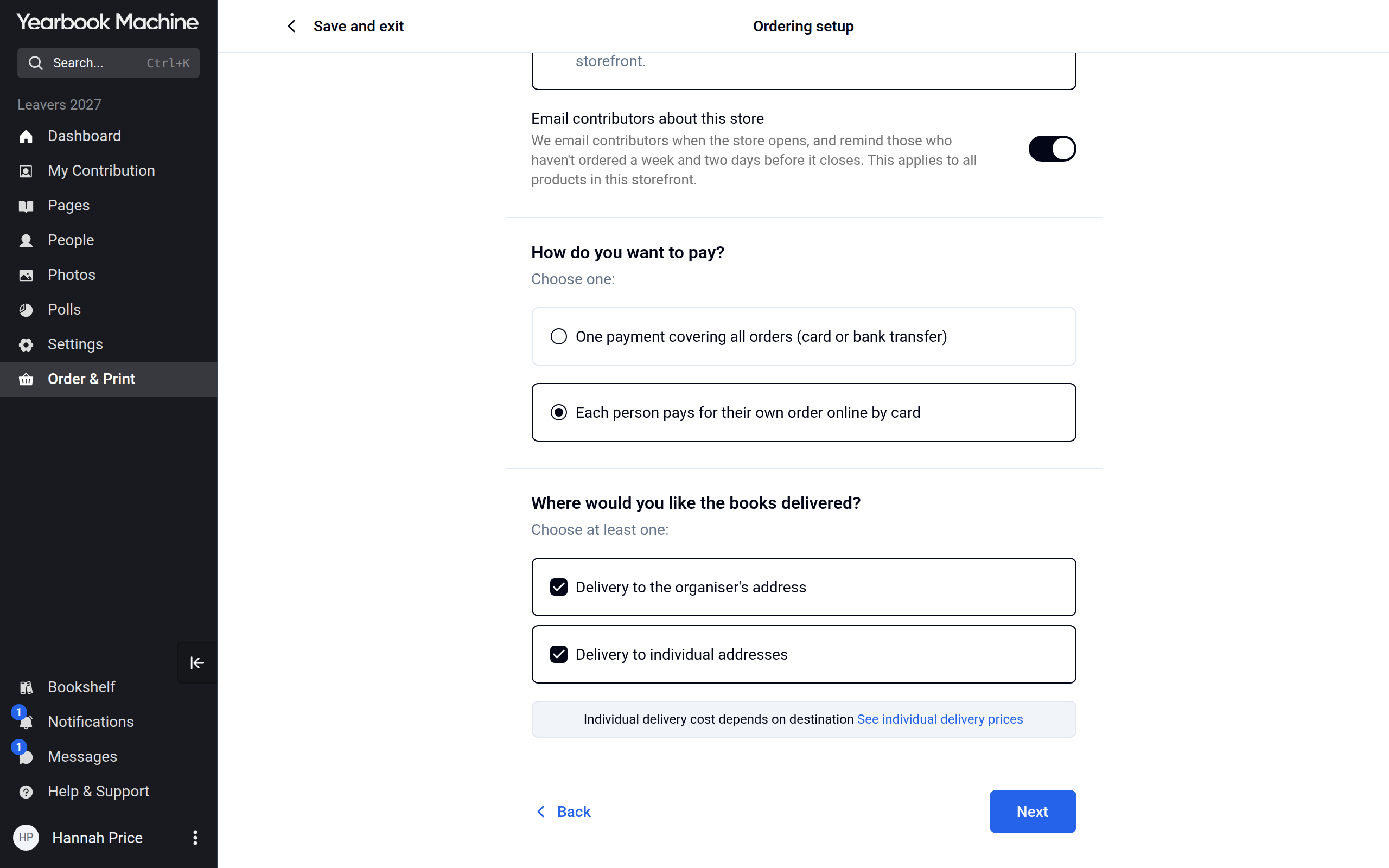
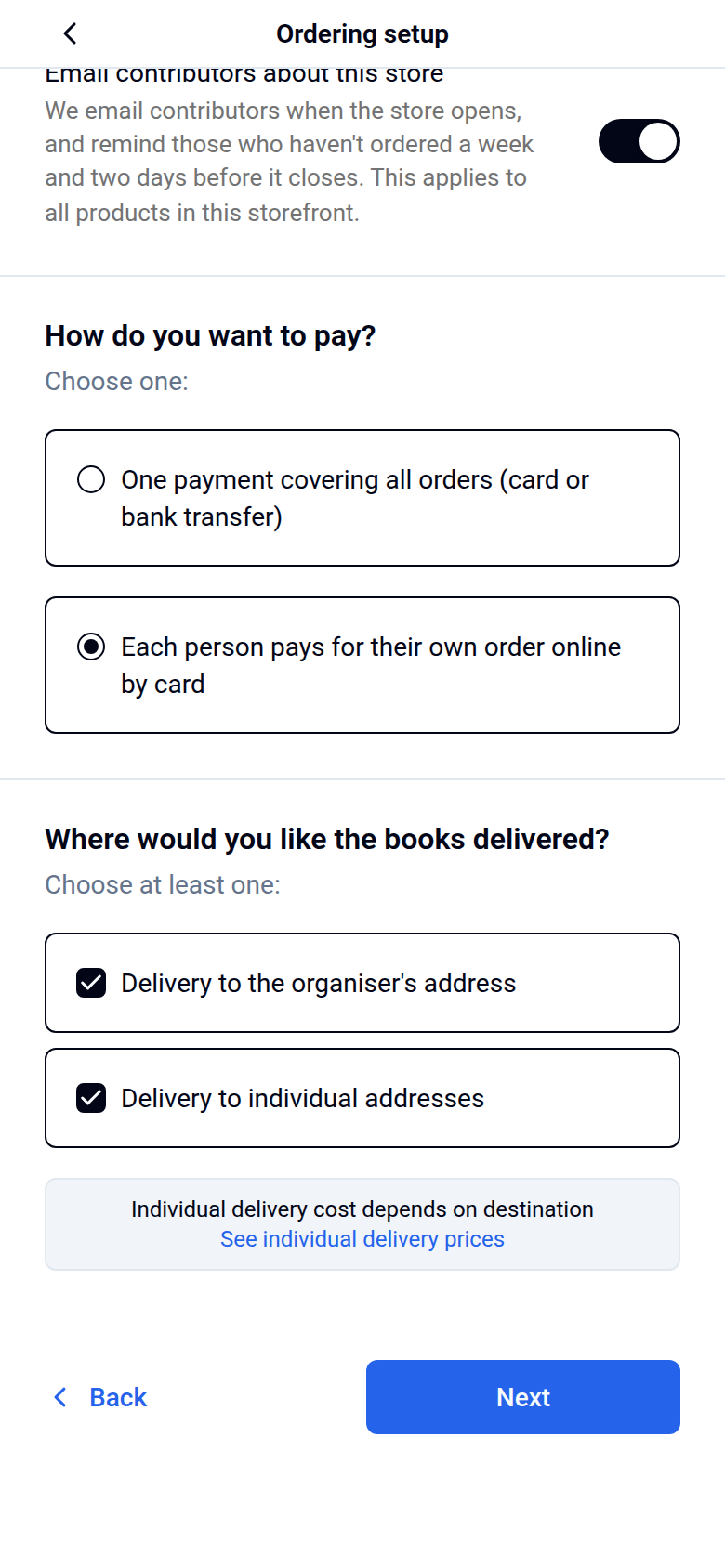
Where you're asked Where would you like the books delivered?, choose one or both:
- Delivery to the organiser's address: all copies go to one address, such as your school or office.
- Delivery to individual addresses: each buyer has their copy sent to their own address. This needs a storefront.
If you are ordering 10 copies or fewer as a single order, the setup has a shorter path. After the book specification it asks only for the Delivery address and the shipping service, then goes to the summary, where you can still change anything.
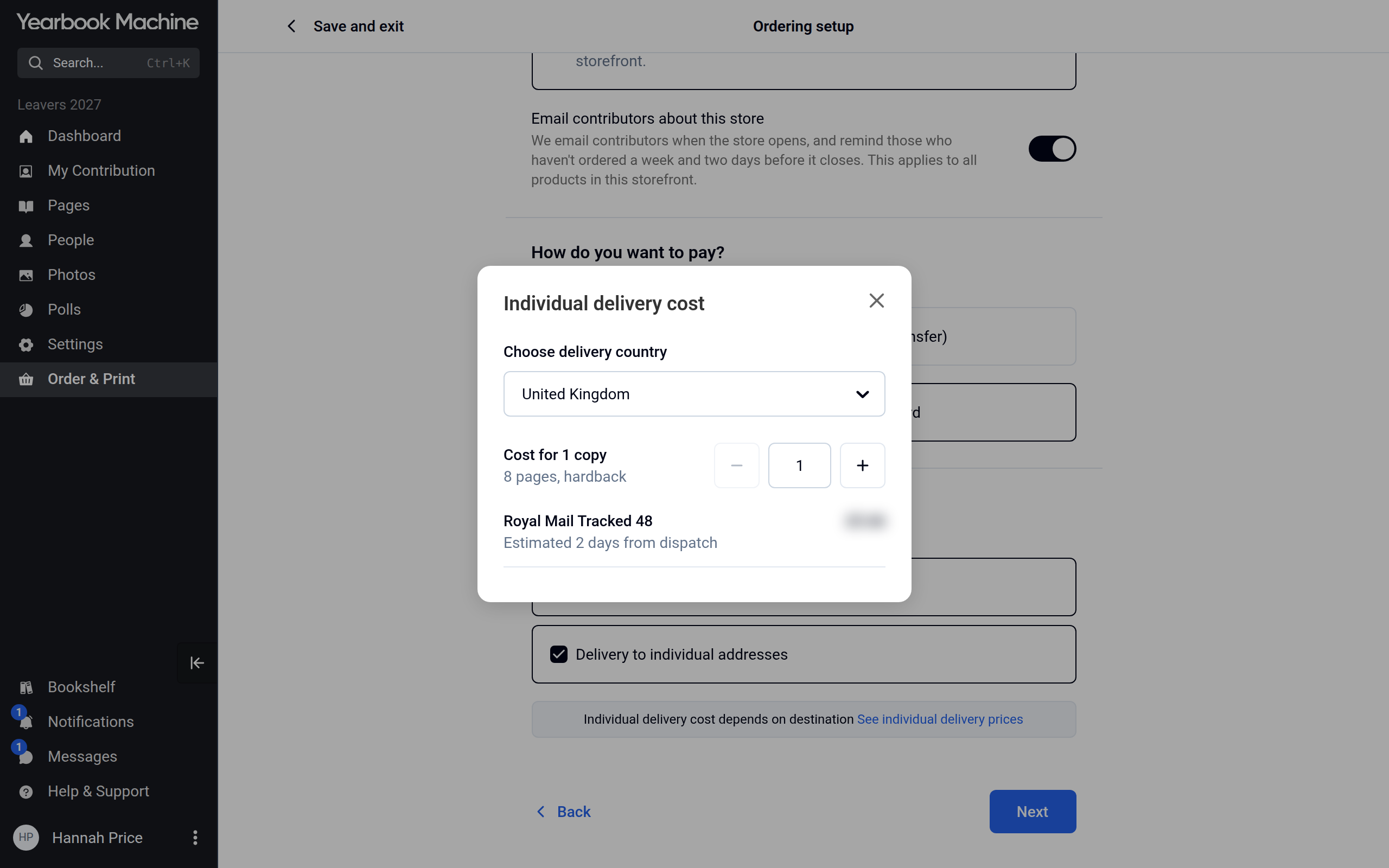
- For individual delivery, click See individual delivery prices, choose a country under Choose delivery country and check the cost for one copy.
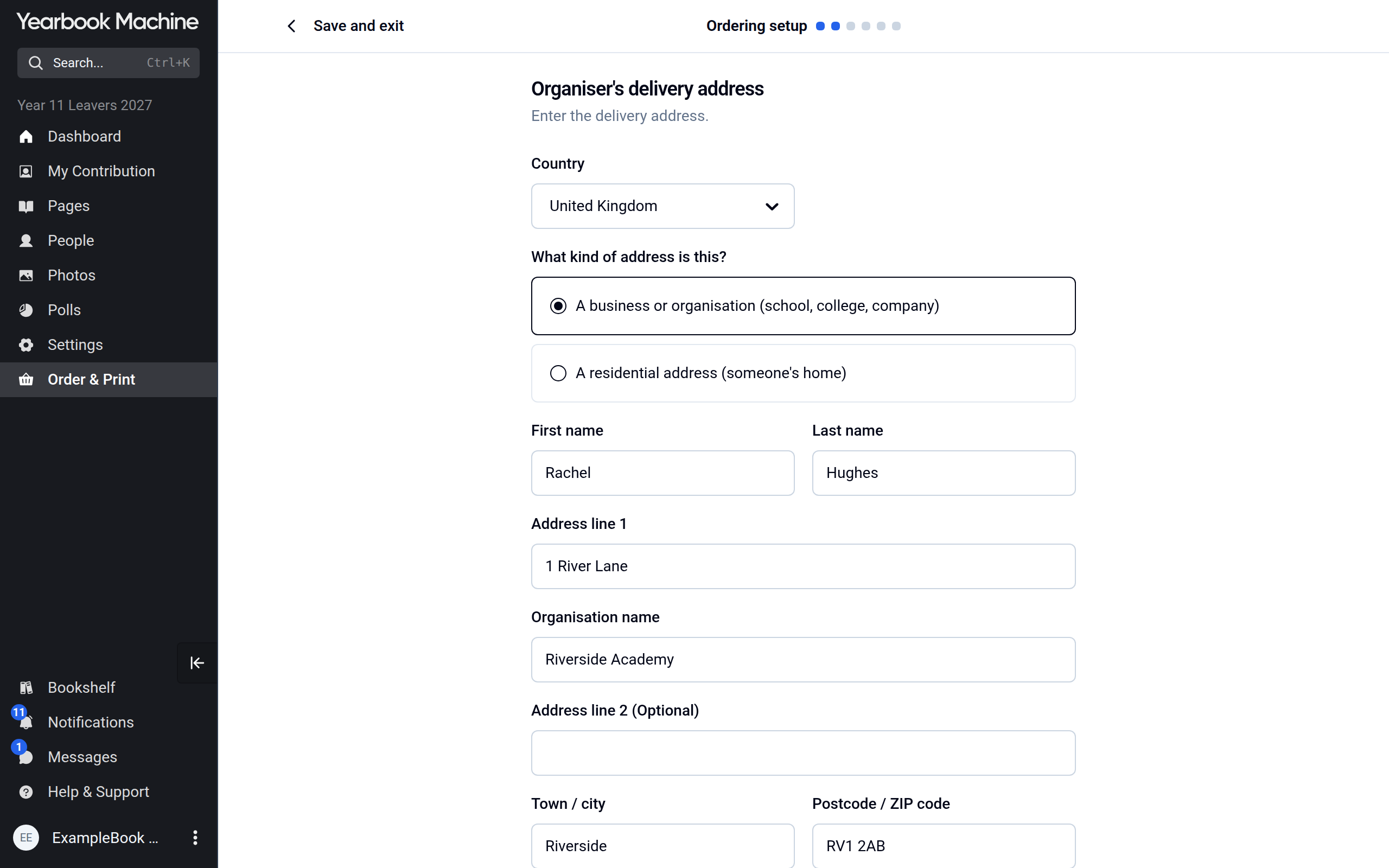
- For delivery to the organiser's address, fill in Organiser's delivery address, then on the Shipping step choose a service under Select service for delivery to the organiser. Each service shows its estimated days from dispatch.
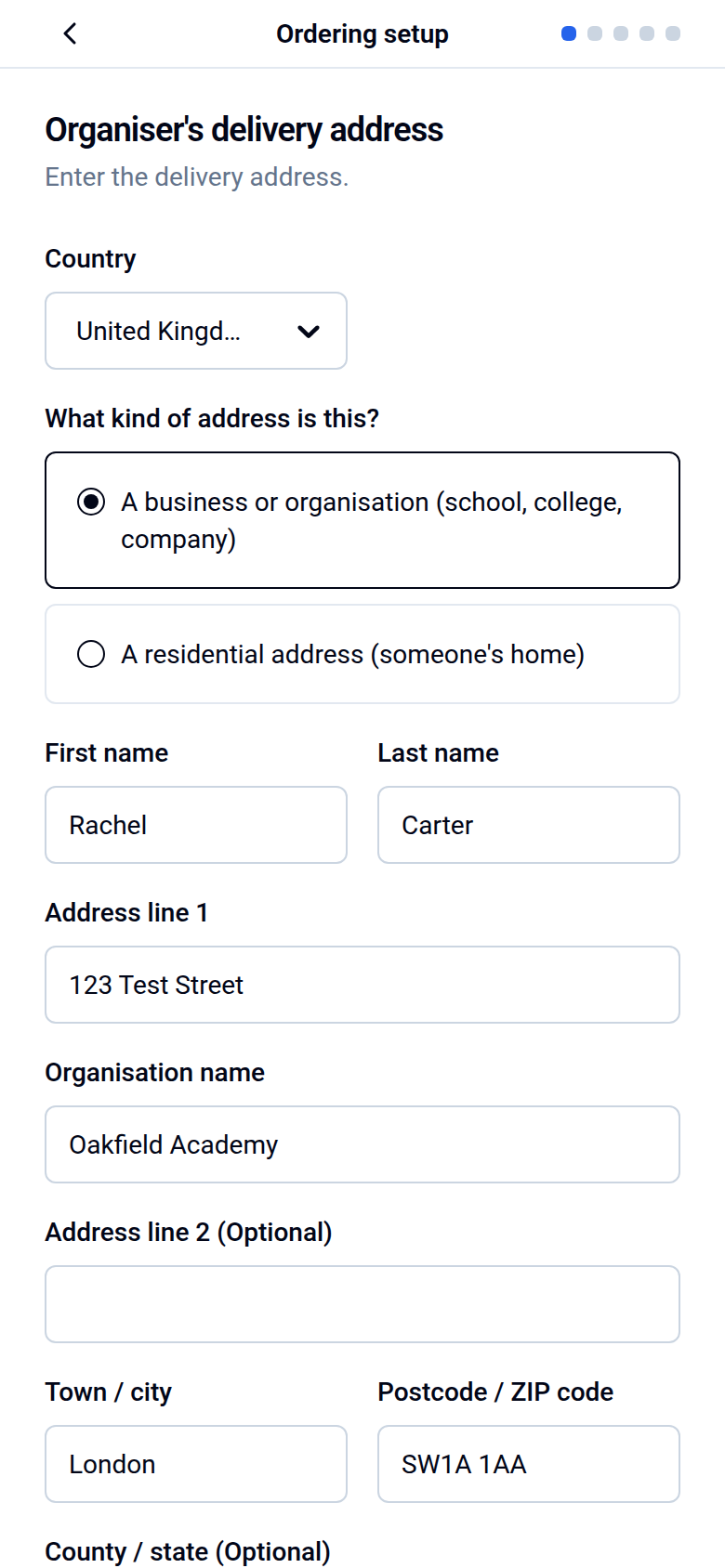
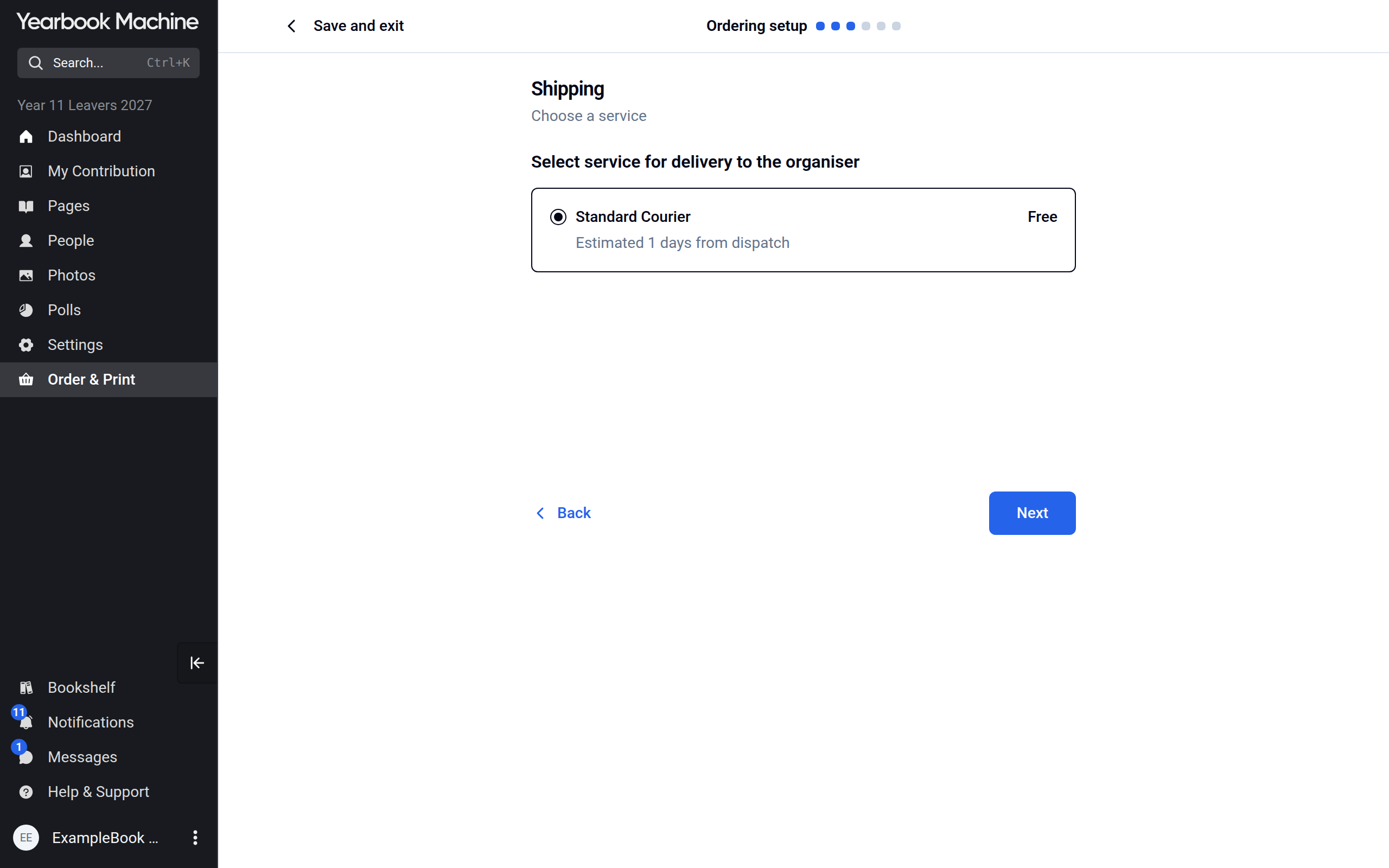
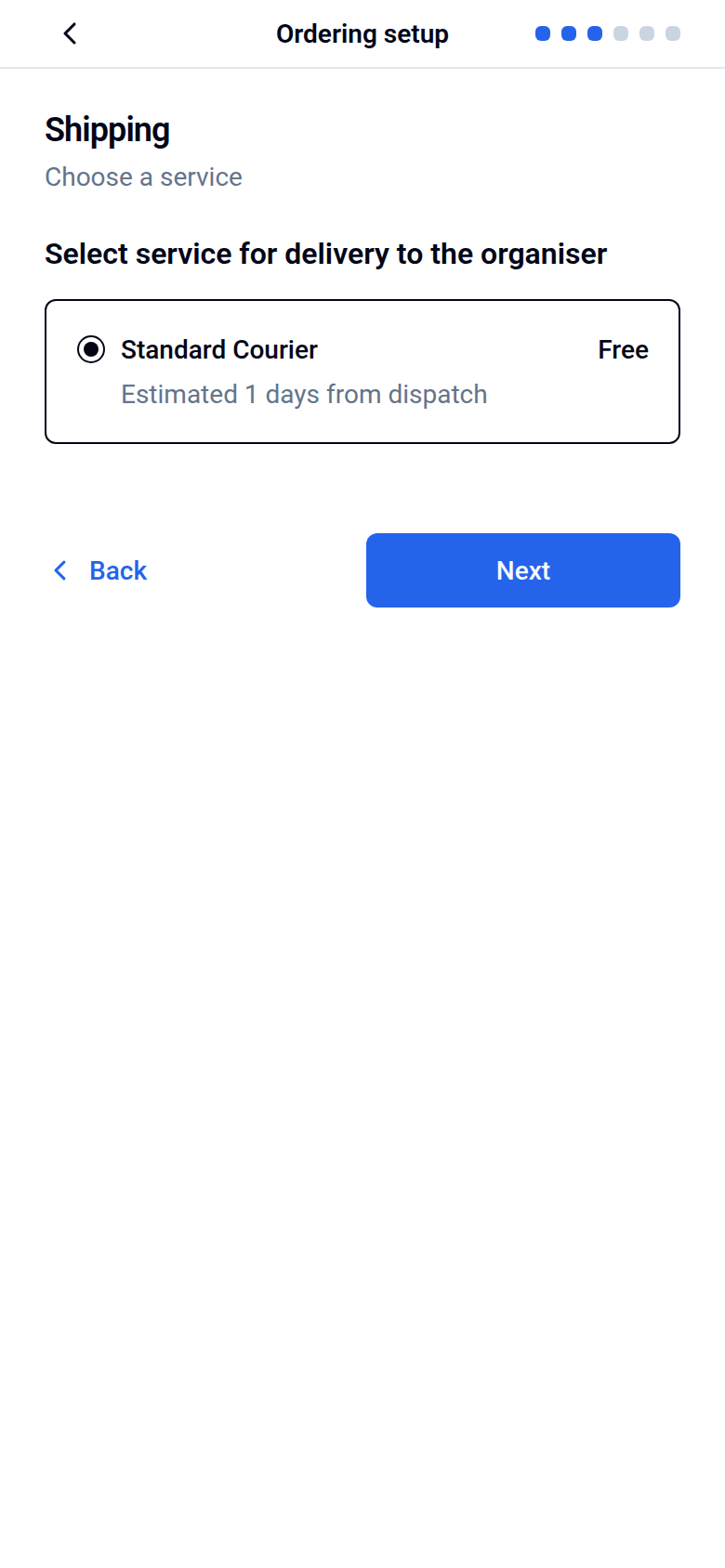
Delivery to the organiser's address is free for 10 or more copies to mainland UK. Smaller orders, and deliveries to other places, are charged, and the cost is shown in the setup before you confirm. Buyers who choose home delivery from a storefront pay a delivery charge that depends on the destination.
Set your delivery date
- On the Delivery date step, called Storefront order deadline if you have a storefront, check your Desired delivery date, and click Edit beside it to choose a different one.
- Check the Print deadline shown underneath. This is the date by which your book must be approved for print and paid for to meet the delivery date.
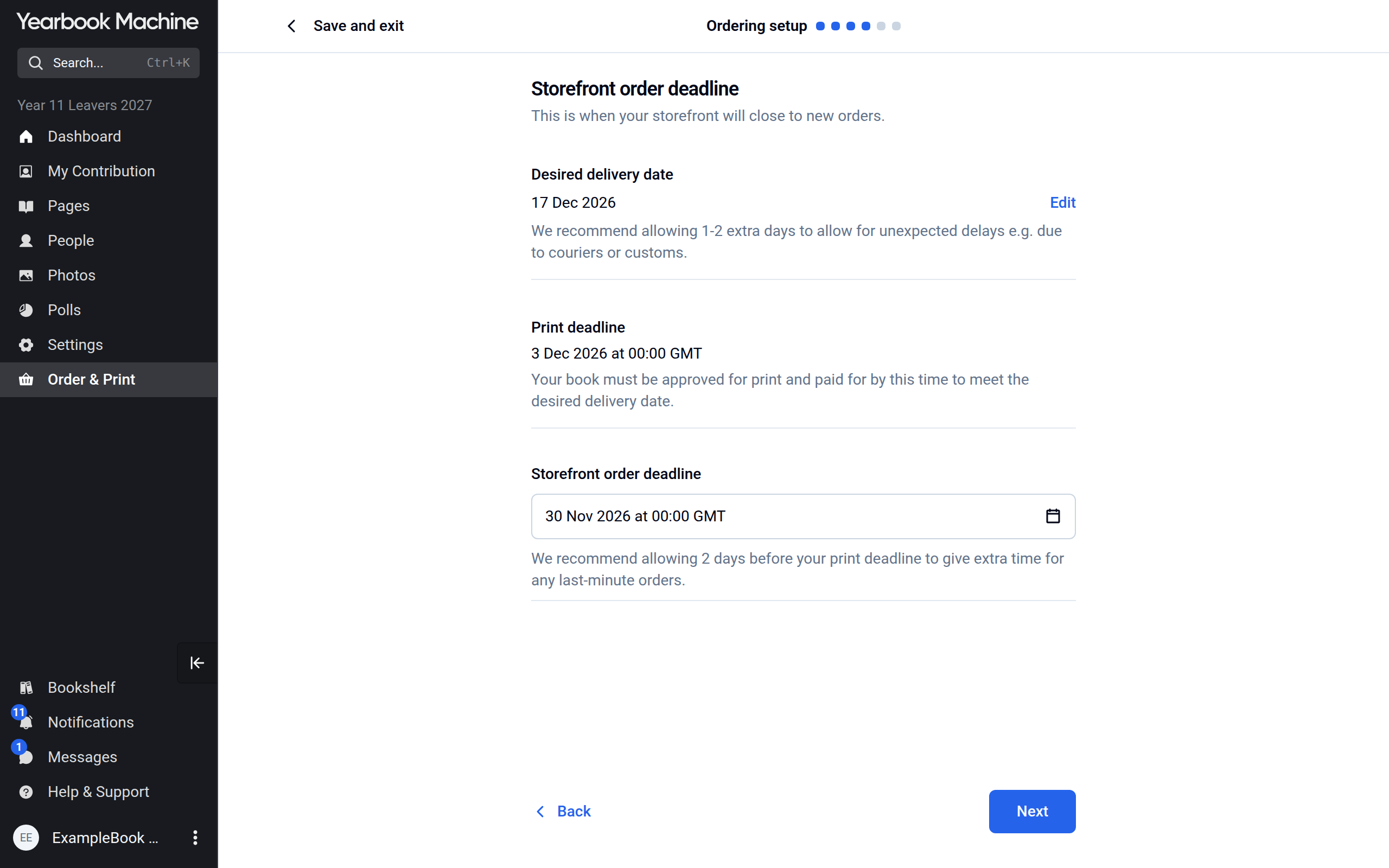
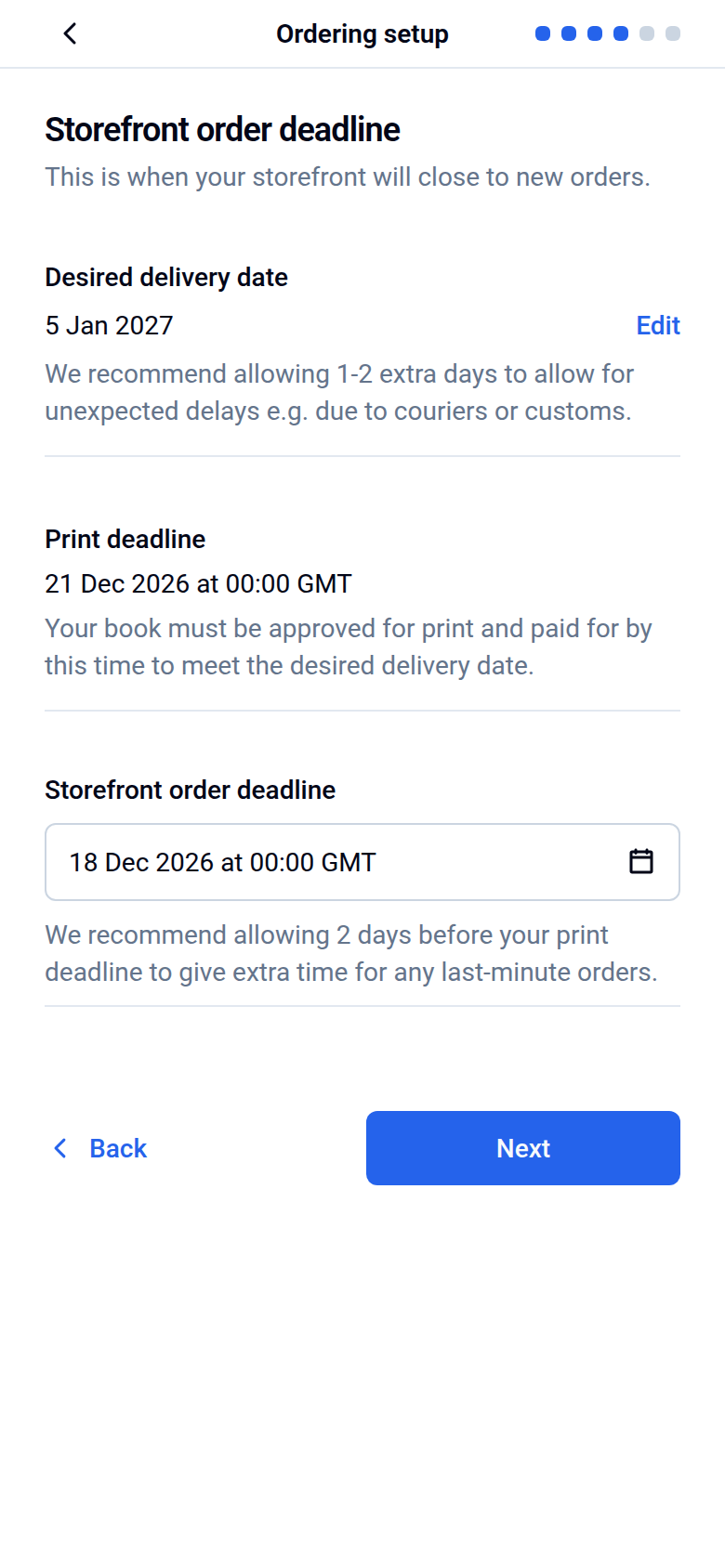
- Allow one or two extra days for unexpected delays, for example with couriers or customs.
The print deadline is worked out back from your delivery date. It depends on the cover type, where the books are going and whether they go to one address or to individual addresses. Hardback and leatherette covers take longer to print than softback.
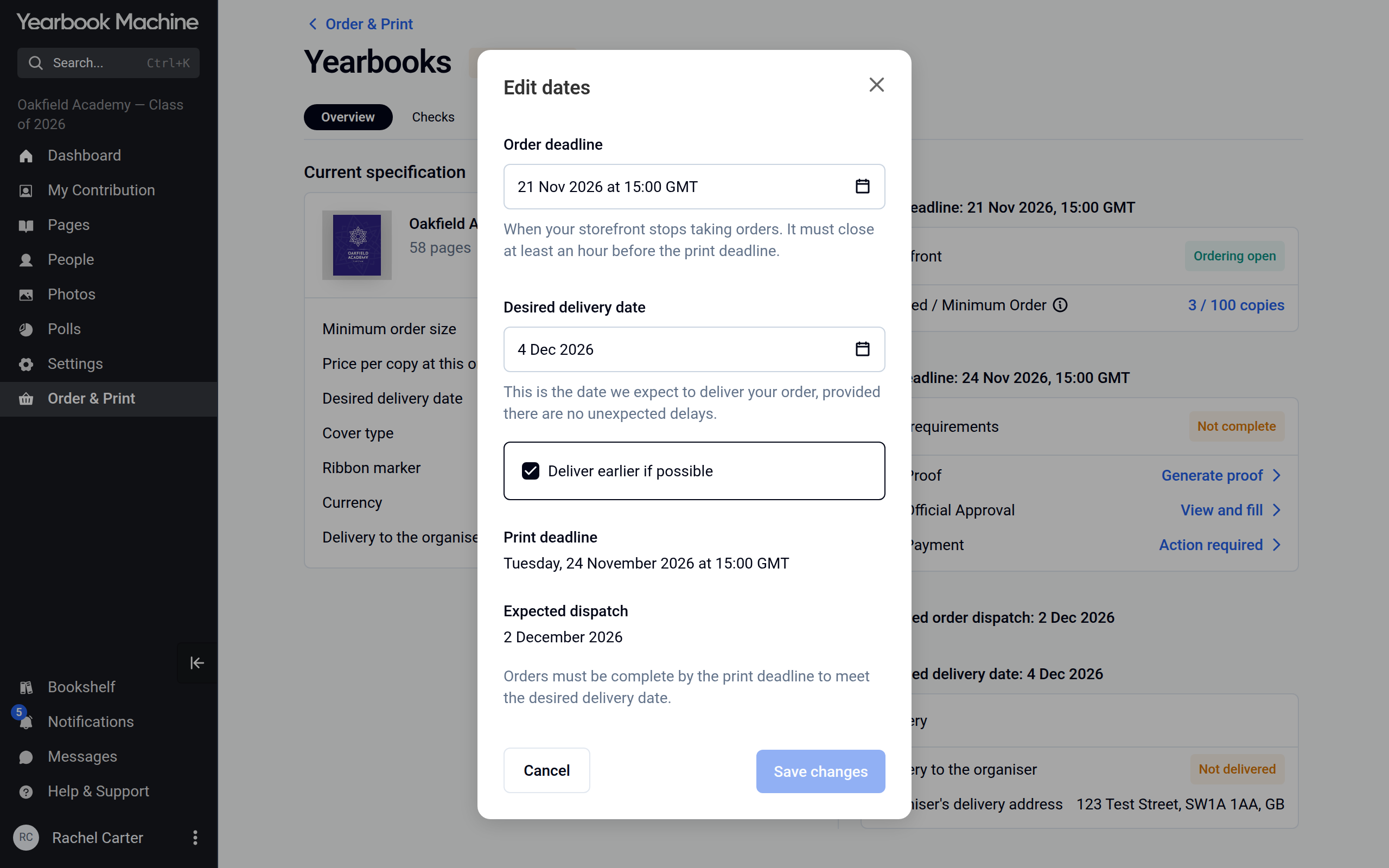
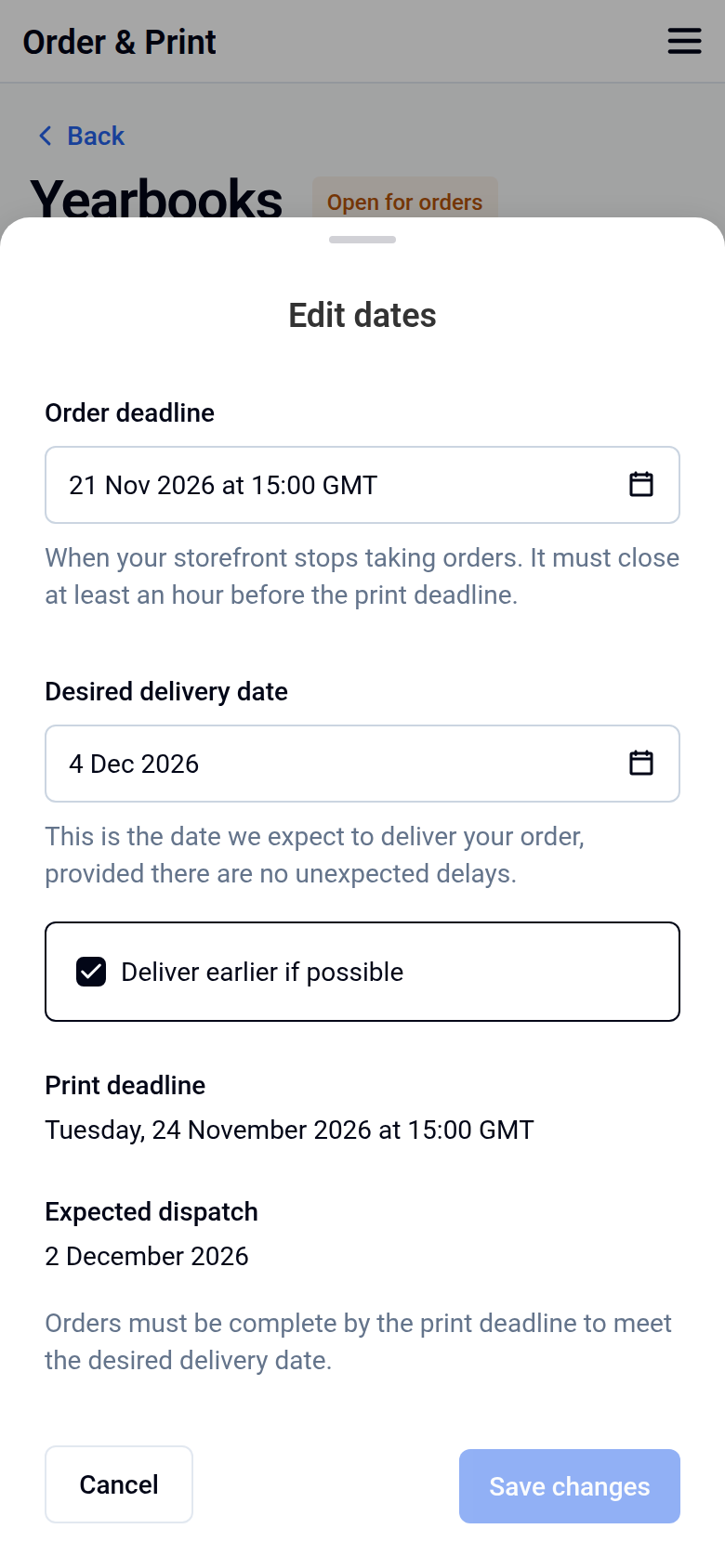
To change the date later, open Yearbooks in Order & Print and click Edit next to Desired delivery date on the Overview tab. In Edit dates, change the date and click Save changes. Tick Deliver earlier if possible there if you are happy for the books to arrive before that date. If you have a storefront, everyone who has ordered is emailed the new date 30 minutes after your last change.
Delivering outside the UK
The address step always asks What kind of address is this?. When the organiser's address is outside the UK, it also asks a few customs questions:
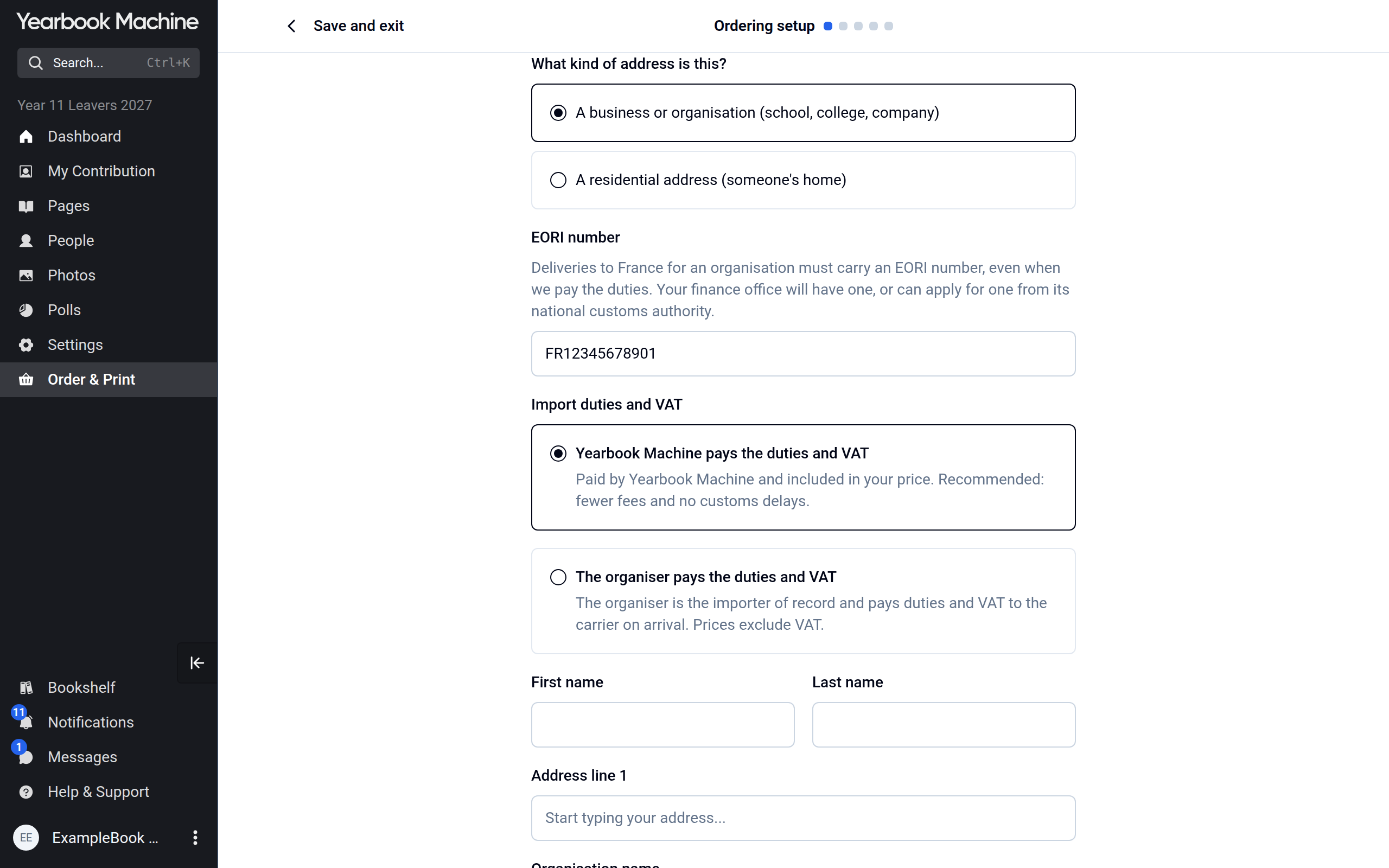
- Under What kind of address is this?, choose A business or organisation (school, college, company) if the books are going to an organisation, or A residential address (someone's home) if they are going to a private home.
- For an address in the EU, the next field is EORI number. An EORI number is the customs number an organisation needs to import goods into the EU; your finance office will have one. It is required when the books are going to an organisation, and optional for a home address. Outside the EU the field is called Tax ID instead and is always optional: it is your organisation's tax or customs number, for example a US EIN or an Australian ABN.
- For an organisation, choose who pays import duties and VAT:
- Yearbook Machine pays the duties and VAT: the duties and VAT are included in your price, and the delivery avoids customs delays.
- The organiser pays the duties and VAT: your organisation pays the duties and VAT to the carrier when the books arrive.
Common questions
How long does delivery take once the books are printed?
For delivery to the organiser's address, the setup shows the estimated days from dispatch for each service. For individual delivery, most books arrive within 2–3 days in the UK, 5–10 days in Europe and 10–20 days elsewhere.
Do you deliver abroad?
Yes. Choose the country when you set up ordering and the setup works out the delivery cost and dates. If no delivery service can be found for an address, contact us.
How will we know when the books are on their way?
We email you when your books have finished printing, and again with tracking details once they are dispatched.
What happens if we miss the print deadline?
Your delivery date moves back automatically, and we email you the new date and print deadline. It keeps moving until the book is sent to print.
Will hoodies arrive with the yearbooks?
Not necessarily. Clothing is produced separately, so it may arrive in a separate delivery.
Was this article helpful?
Sorry, that didn't send. Please try again in a little while.
Thanks. That helps us improve this article.
Any other questions?
Email support@yearbook.com and we'll help you out.