
How do I delete my account?
You can delete your Yearbook Machine account yourself, on the website or in the Yearbook app.
On the website
- Sign in at https://yearbook.com.
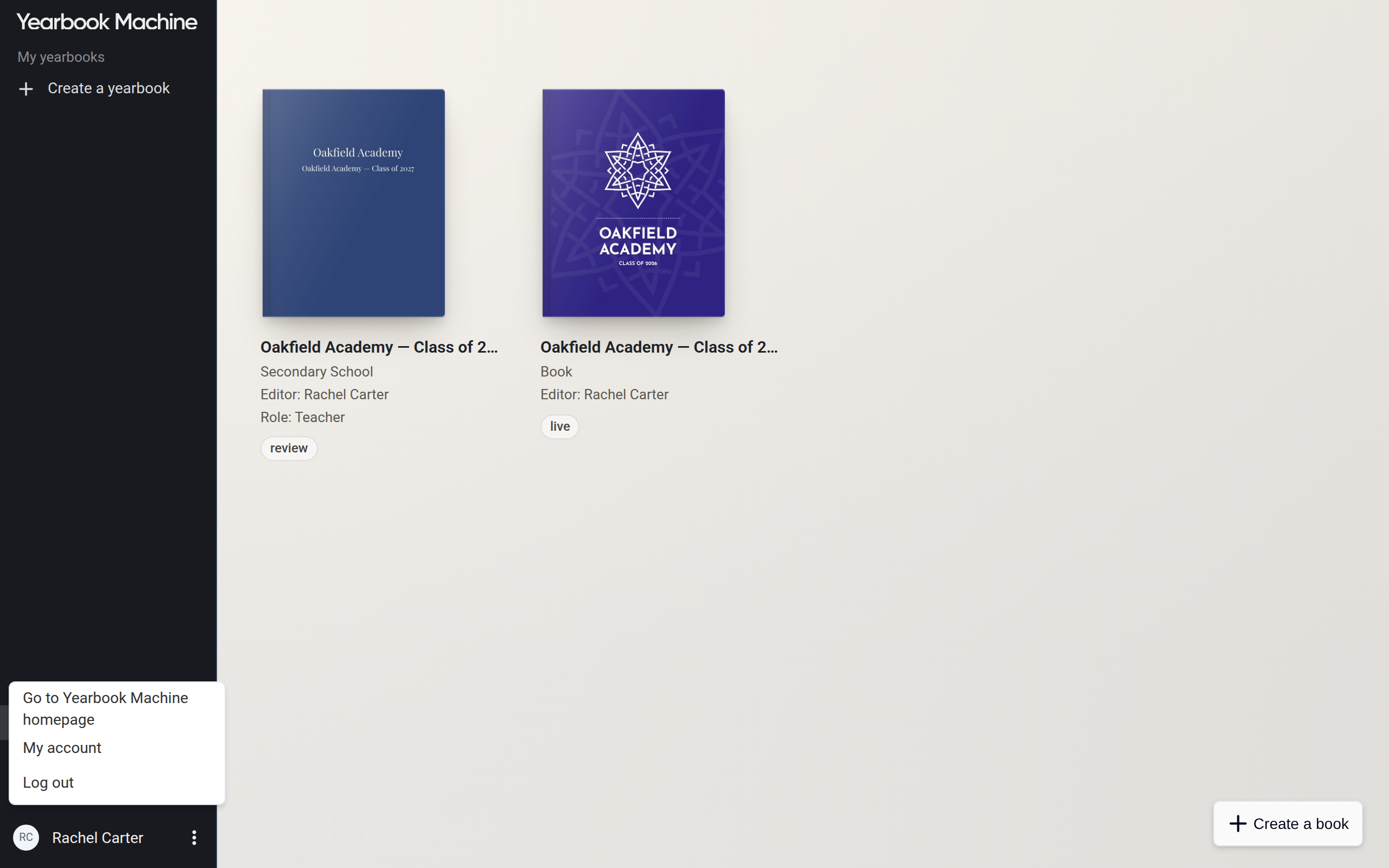
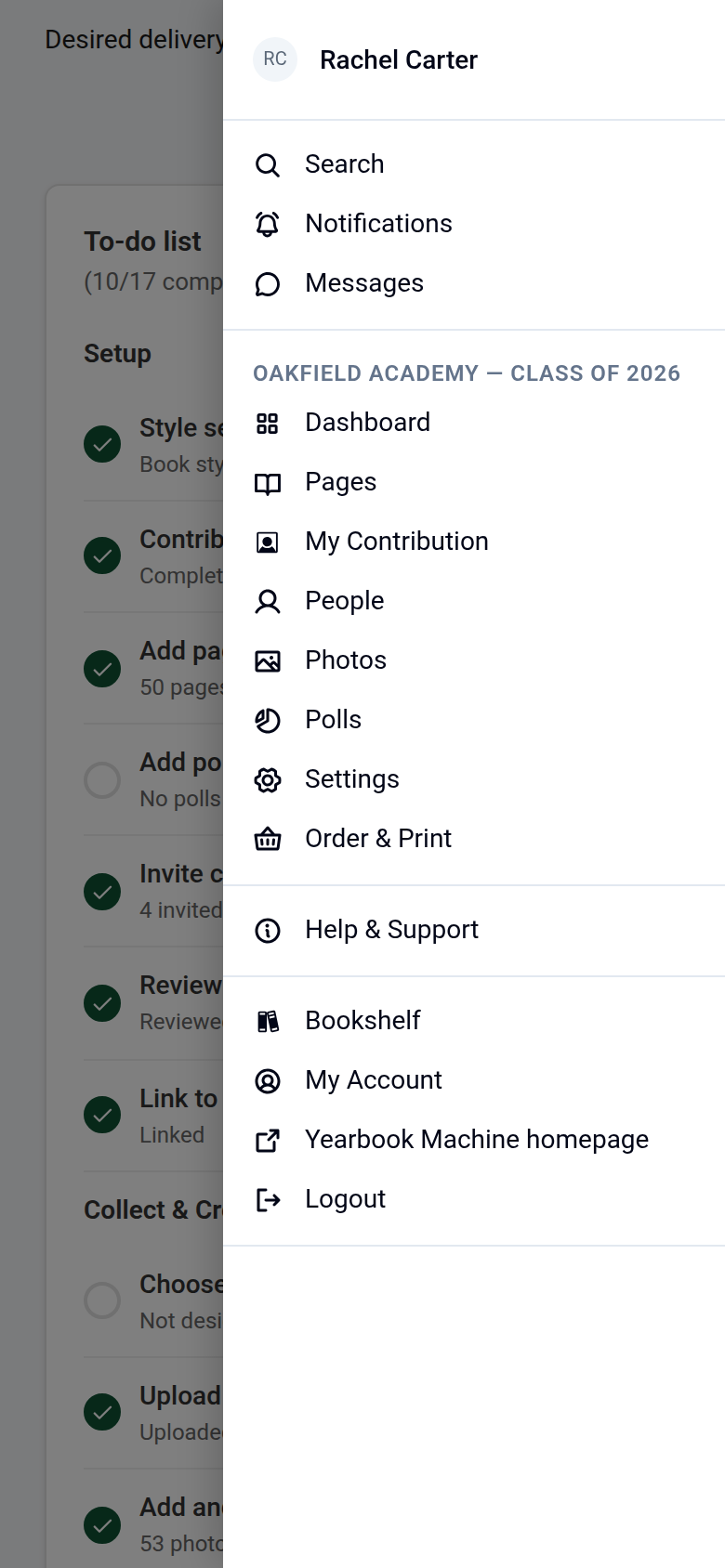
- Open the menu next to your name and choose My account. On a computer the menu is the ⋮ next to your name, at the bottom left. On a phone it is the ☰ menu.
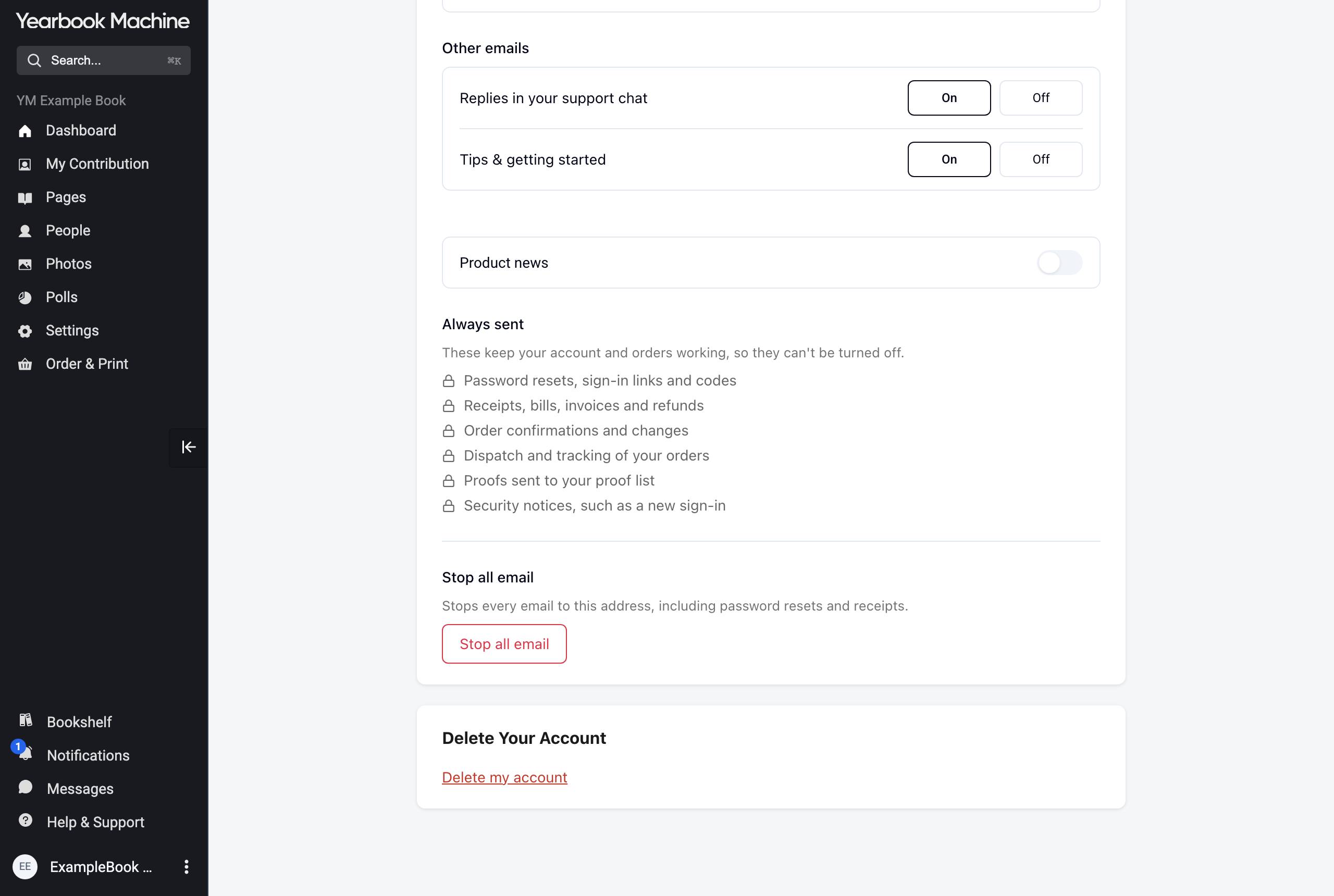
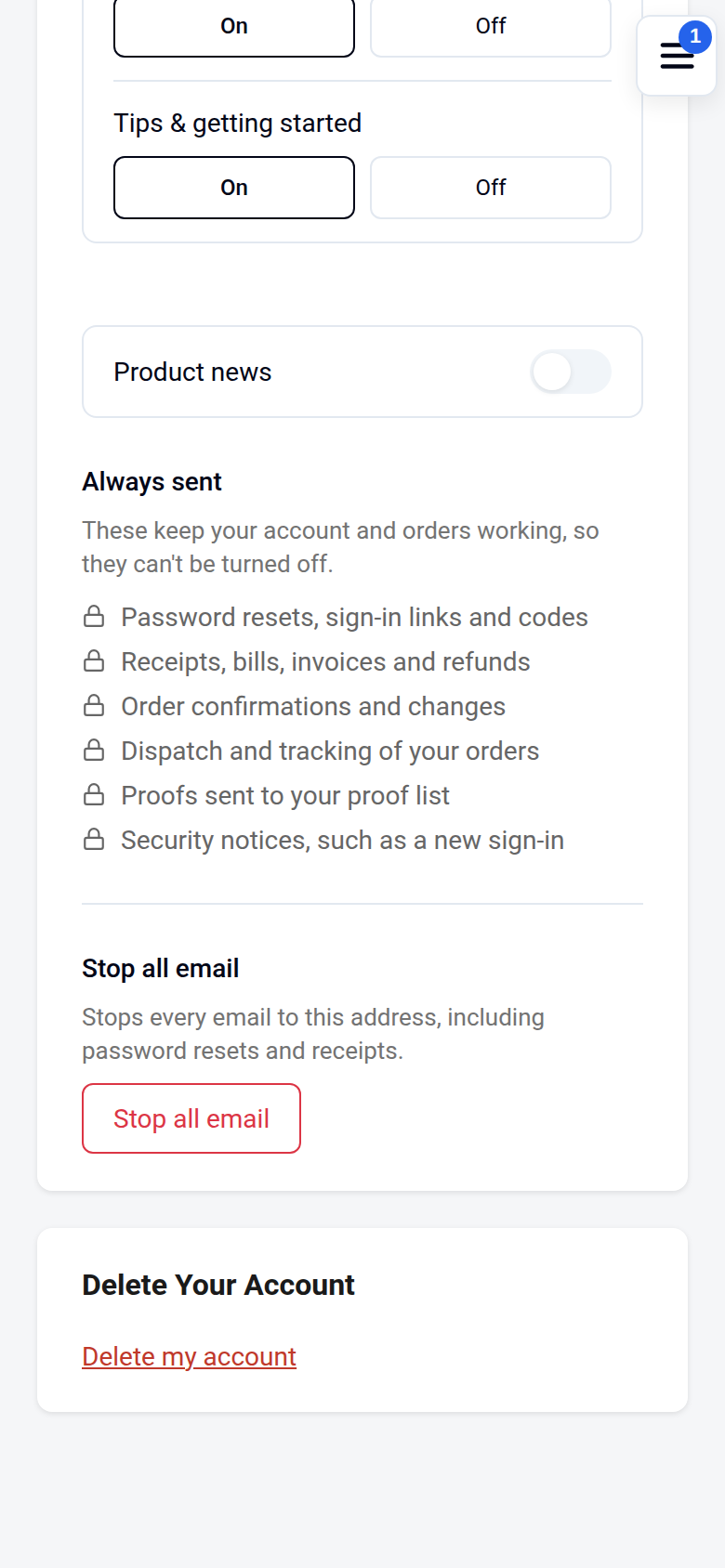
- Scroll down to Delete Your Account and choose Delete my account.
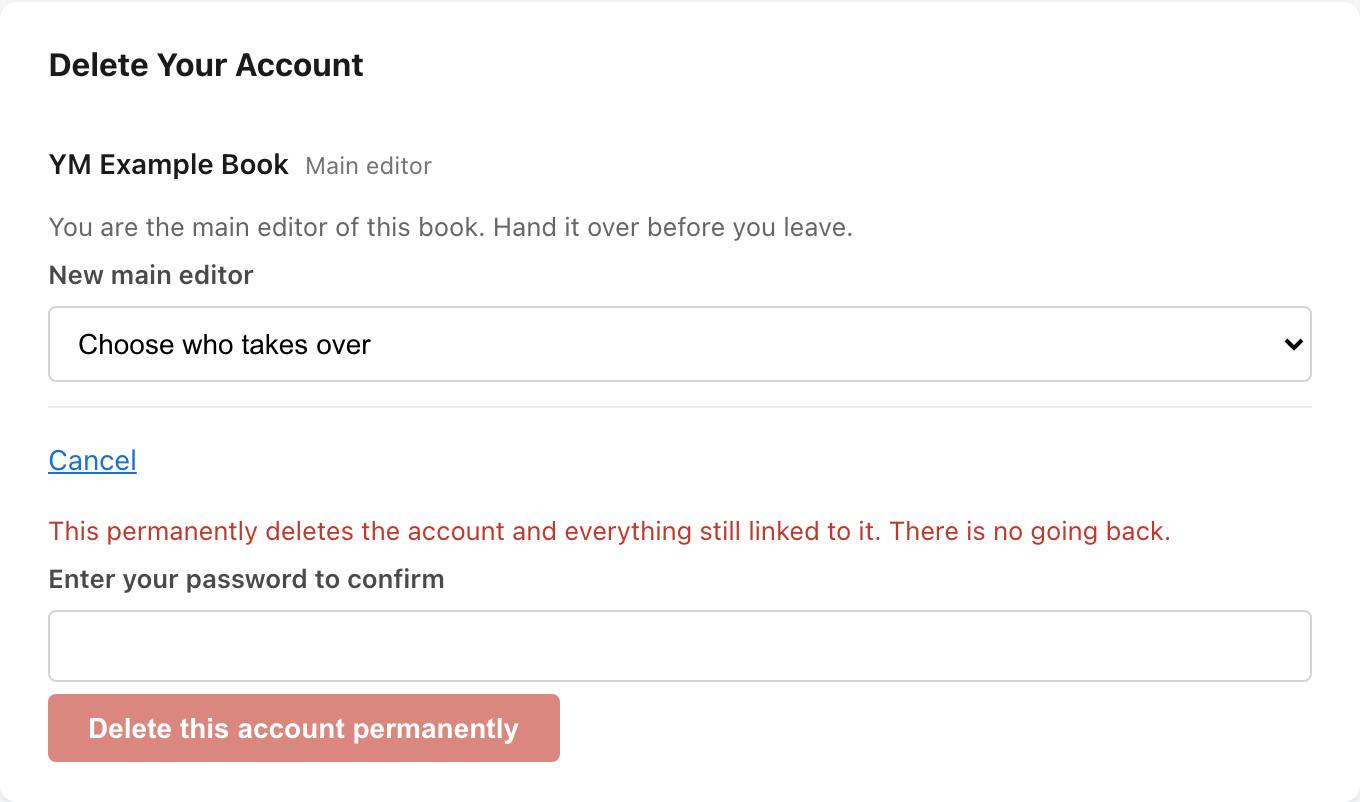
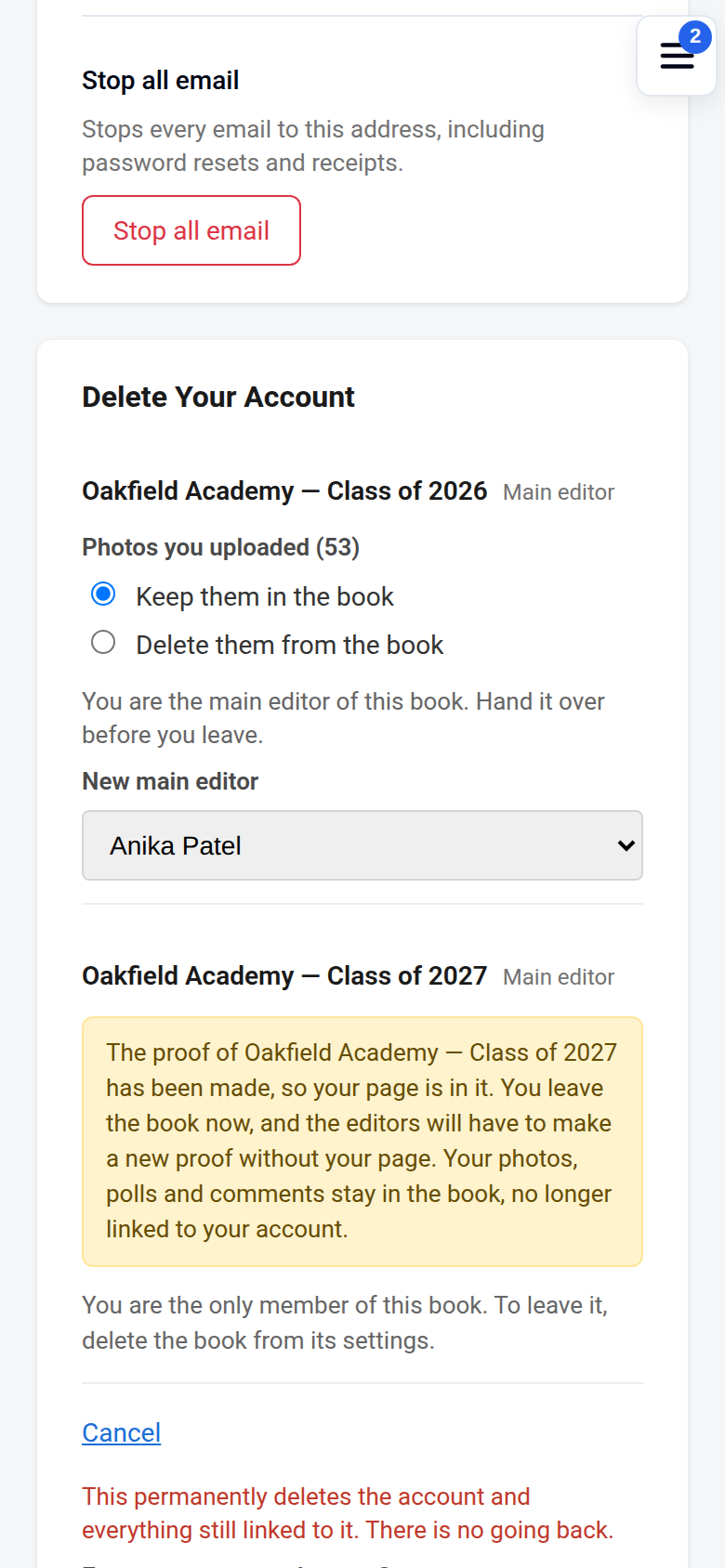
- Choose what happens in each of your books (below).
- Enter your password, or your email address if your account has no password, and choose Delete this account permanently.
In the Yearbook app
The steps are the same on iPhone and Android.
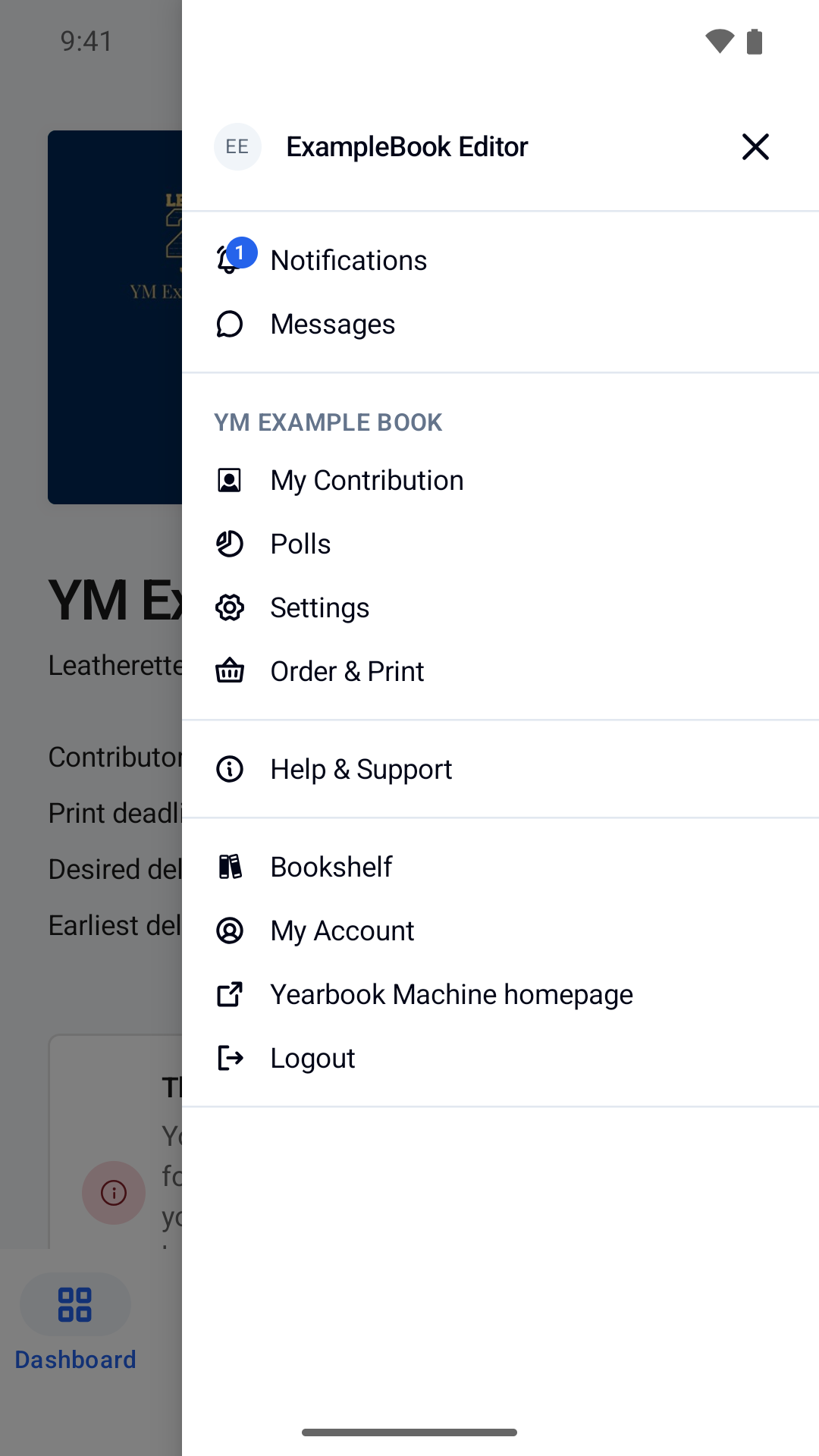
- Open More, then My Account.
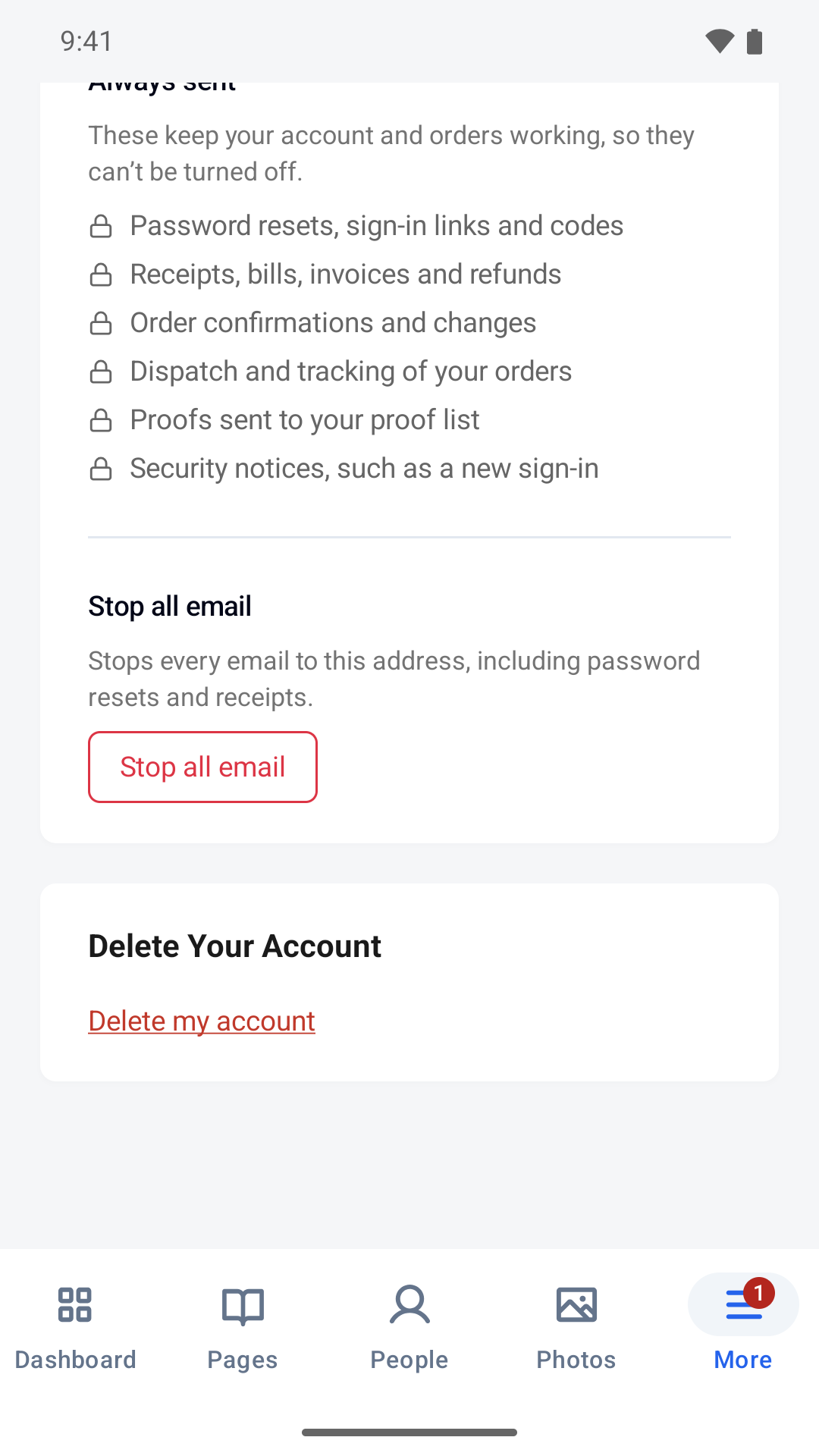
- Scroll down to Delete Your Account and choose Delete my account.
- Choose what happens in each of your books (below).
- Enter your password, or your email address if your account has no password, and choose Delete this account permanently.
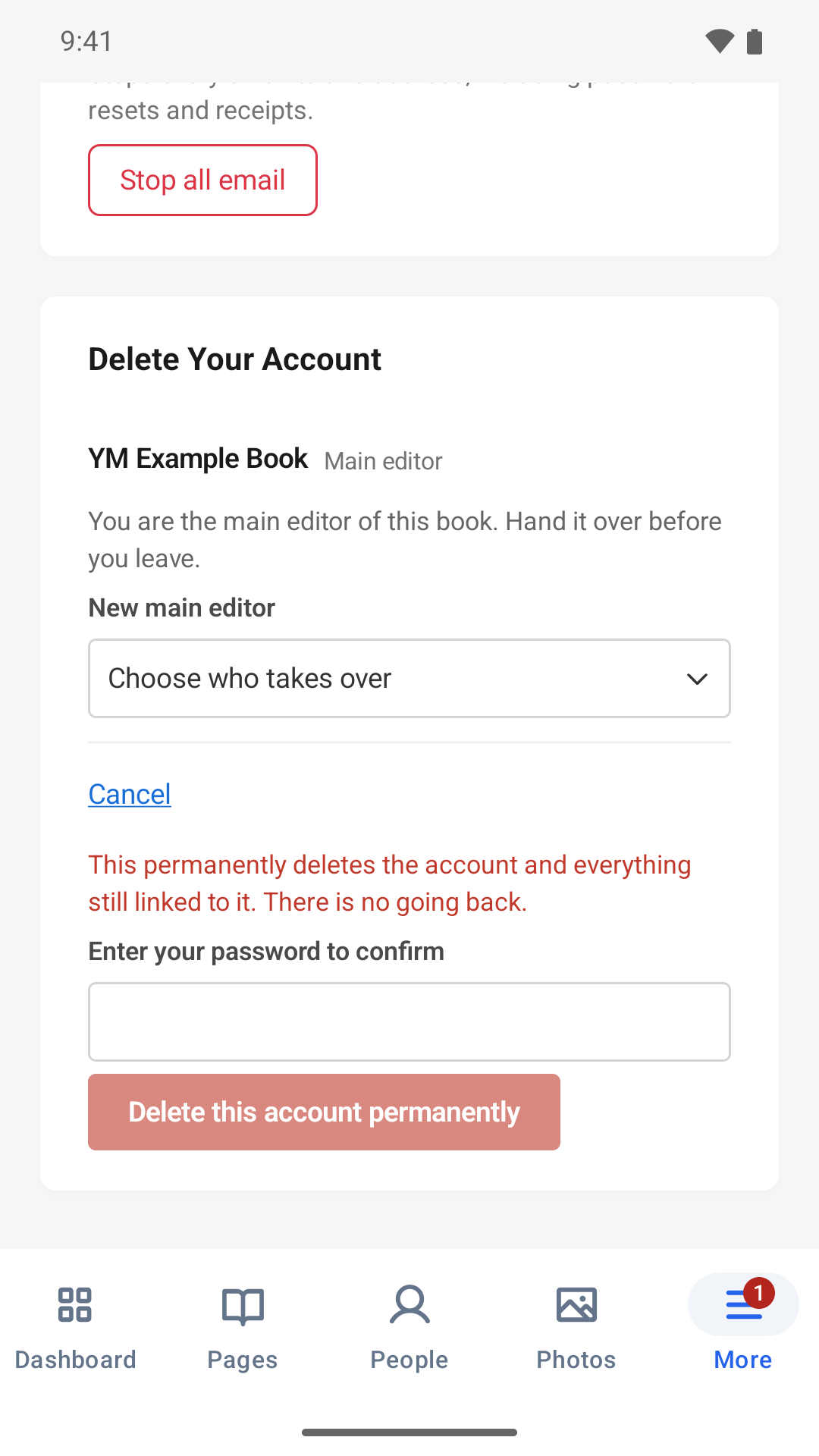
Your books
If you are the main editor of a book, you will see "You are the main editor of this book. Hand it over before you leave." Choose another editor of the book under New main editor.
In a book that is still being edited, your page is deleted, with its answers and the comments on it. For what else you added to that book, you choose:
- Photos you uploaded: keep them in the book, or delete them.
- Polls you made: keep them, without the link to your account, or delete them. Deleting a poll also removes it from the book and deletes its votes.
- Comments you wrote on other people's pages: keep them in the book, or delete them. Comments you keep still show your name.
Anything you keep stays in the book but is no longer linked to your account.
Once a book has reached the proof stage, these choices are no longer offered. Your page, and your photos, polls and comments in that book, stay in it.
In every book, "friends say" entries you wrote about other people stay on their pages, and messages you sent in a book's group chats stay there, no longer linked to your account.
What is deleted
- Your account and sign-in details: your name, email address, password and sign-in history.
- Your page in books that are still being edited.
- Anything you chose to delete from those books.
What is kept
- What is already in a book that has reached the proof stage, including your page there. Printed copies and our stored print files of those books keep it too.
- If you have an order or payment record with us: that record, your contact details, and your messages and calls with us, for as long as we need to keep the record. Orders are no longer linked to an account.
- If you asked us to stop emailing you, a coded record of your email address, so that we keep to your request.
- Statistics about a book's progress, which don't name you. These are deleted after 13 months.
Our privacy policy explains this in full: https://yearbook.com/privacy
Erasing your data from a book
If you want your data erased from a book after it has reached the proof stage, including its stored print files, contact our support team through https://yearbook.com/support. Please do this before you delete your account if you can, because that makes your data easier to find. We will tell you what we can remove and confirm when it is done. We cannot recall copies of a book that have already been printed and delivered.
If you can't sign in
Contact us through https://yearbook.com/support and we will delete the account for you. We may ask you to write from the email address on the account, so that we know the request is yours.
Was this article helpful?
Sorry, that didn't send. Please try again in a little while.
Thanks. That helps us improve this article.
Any other questions?
Email support@yearbook.com and we'll help you out.