
Managing online storefront orders
An online storefront lets parents, students and staff order their yearbooks and hoodies directly. Either each person pays by card when they order, or your school pays for everyone in one payment. This guide covers setting up your storefront, keeping track of orders and deadlines, and what happens to your price when sales finish above or below your target. It also explains how to help anyone who orders late.
Choosing how your book is ordered
Choose how your book is ordered in Order & Print › Yearbooks › Complete ordering setup, under How would you like to order?:
- Single order: one order for everyone, paid in one payment.
- Storefront, each person pays: each person orders their own copy and pays by card.
- Storefront, paid by your school: each person orders their own copy without paying, and your school pays for all the copies in one payment.
Make sure your dates leave enough time for your storefront to run before your target delivery date.
Setting up your storefront
Set up your storefront in Order & Print: click Yearbooks, then Complete ordering setup. Check the book specification, tick I confirm this is the final specification and click Set up ordering. Choose one of the two storefronts under How would you like to order?, then follow the steps and click Create storefront. See Storefronts: letting parents and students buy copies for each step.
The setup asks for these, in this order:
- Your delivery methods:
- Delivery to the organiser's address: Free delivery for 10 or more copies to mainland UK.
- Delivery to individual addresses: Each buyer pays a postage fee at checkout and their book is sent straight to them, so you won't need to hand anything out.
- Both: Buyers choose at checkout.
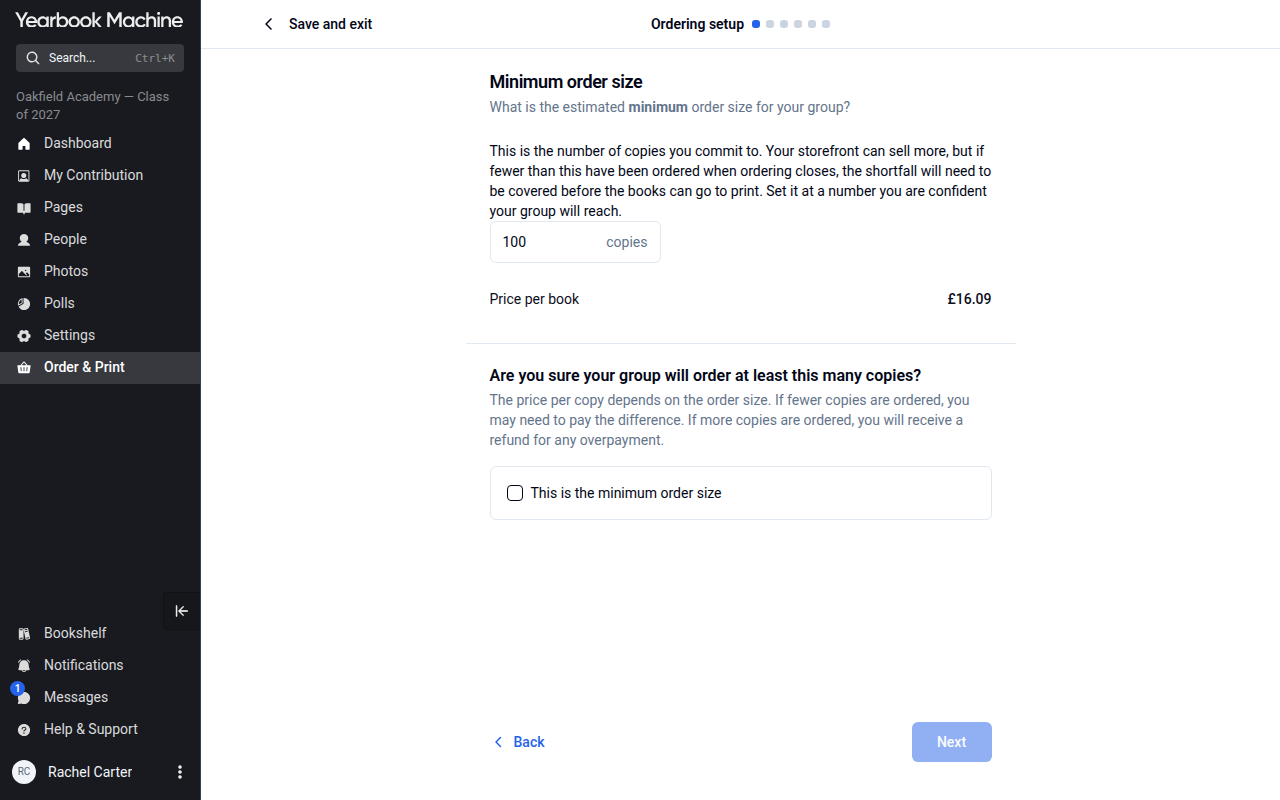
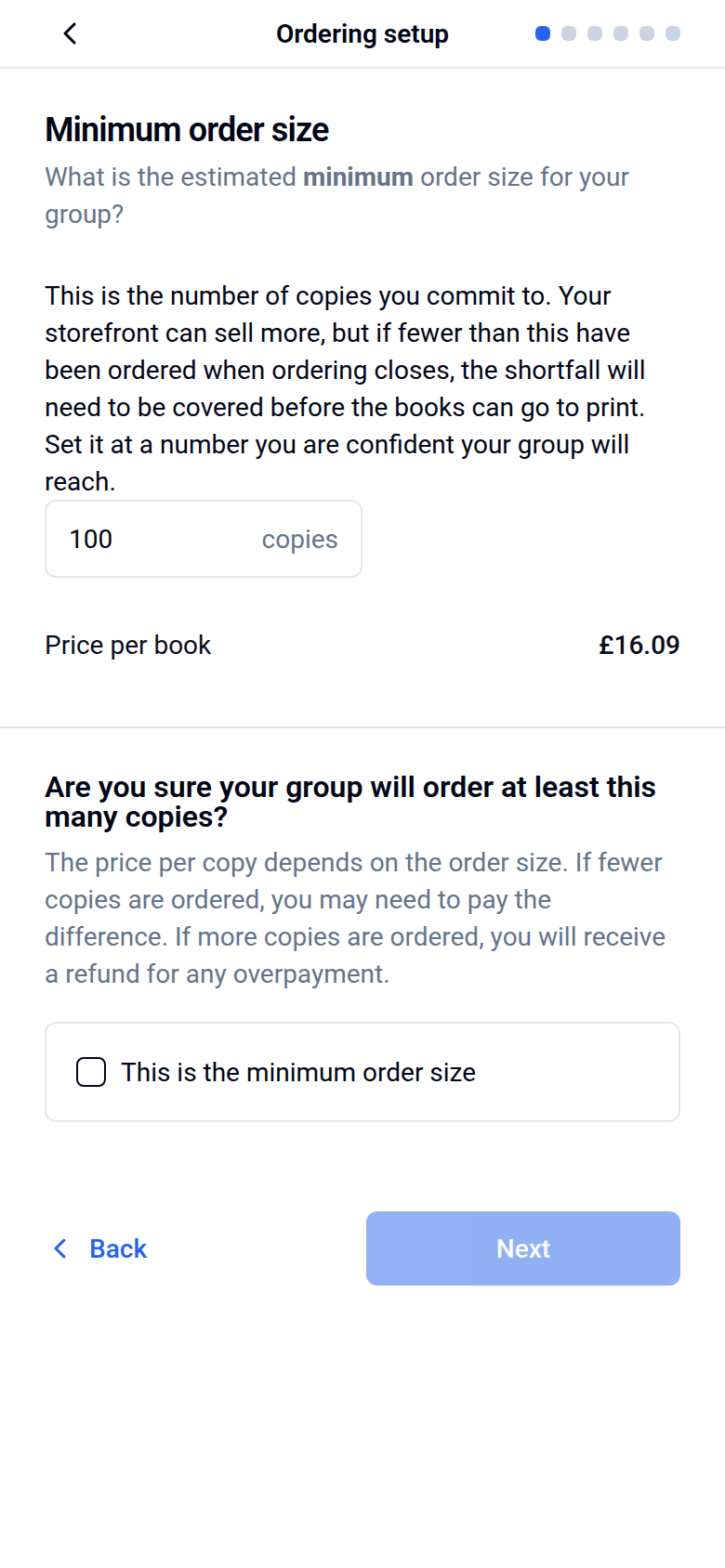
- Your minimum order size: This is the lowest number of copies you expect to sell. Your price per book is based on this number. We recommend setting it 10–15% lower than you realistically expect, to give yourself a buffer. If your school is paying, this step is Estimated order size: the number of copies you expect.
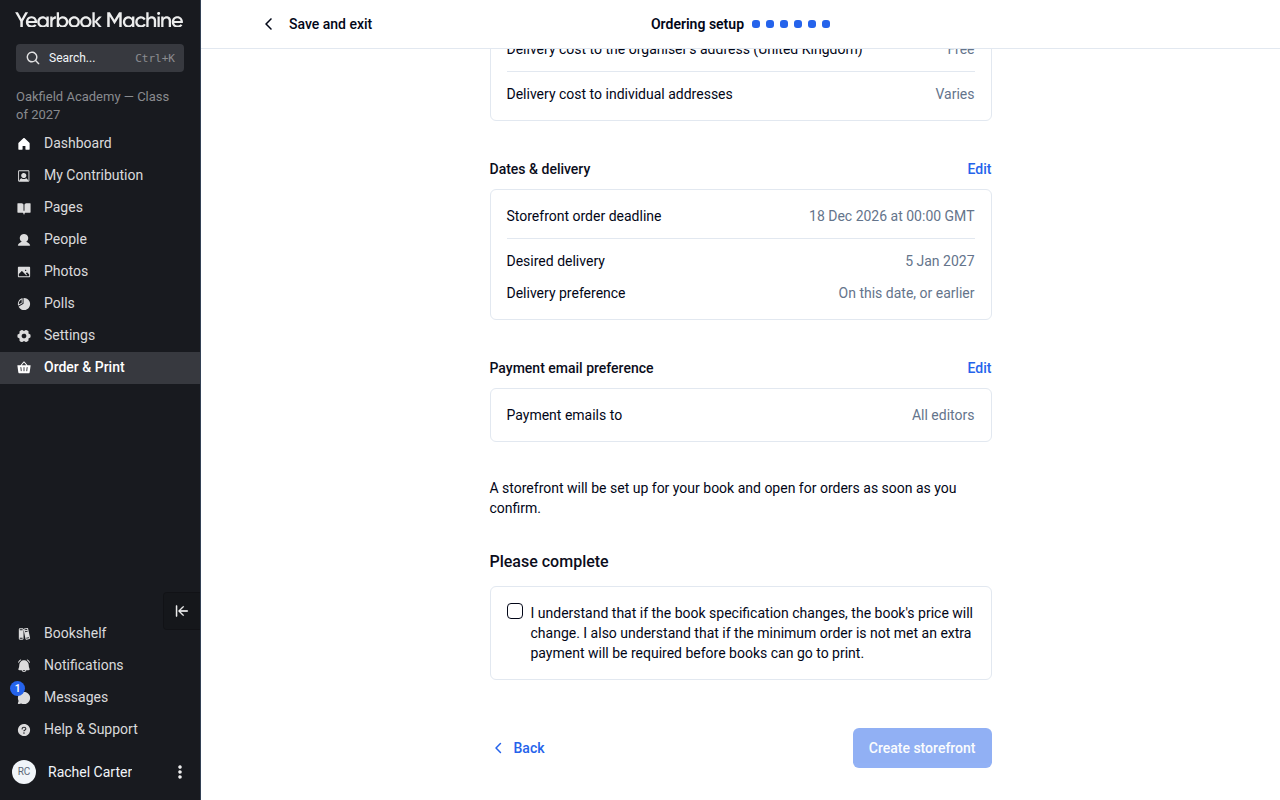
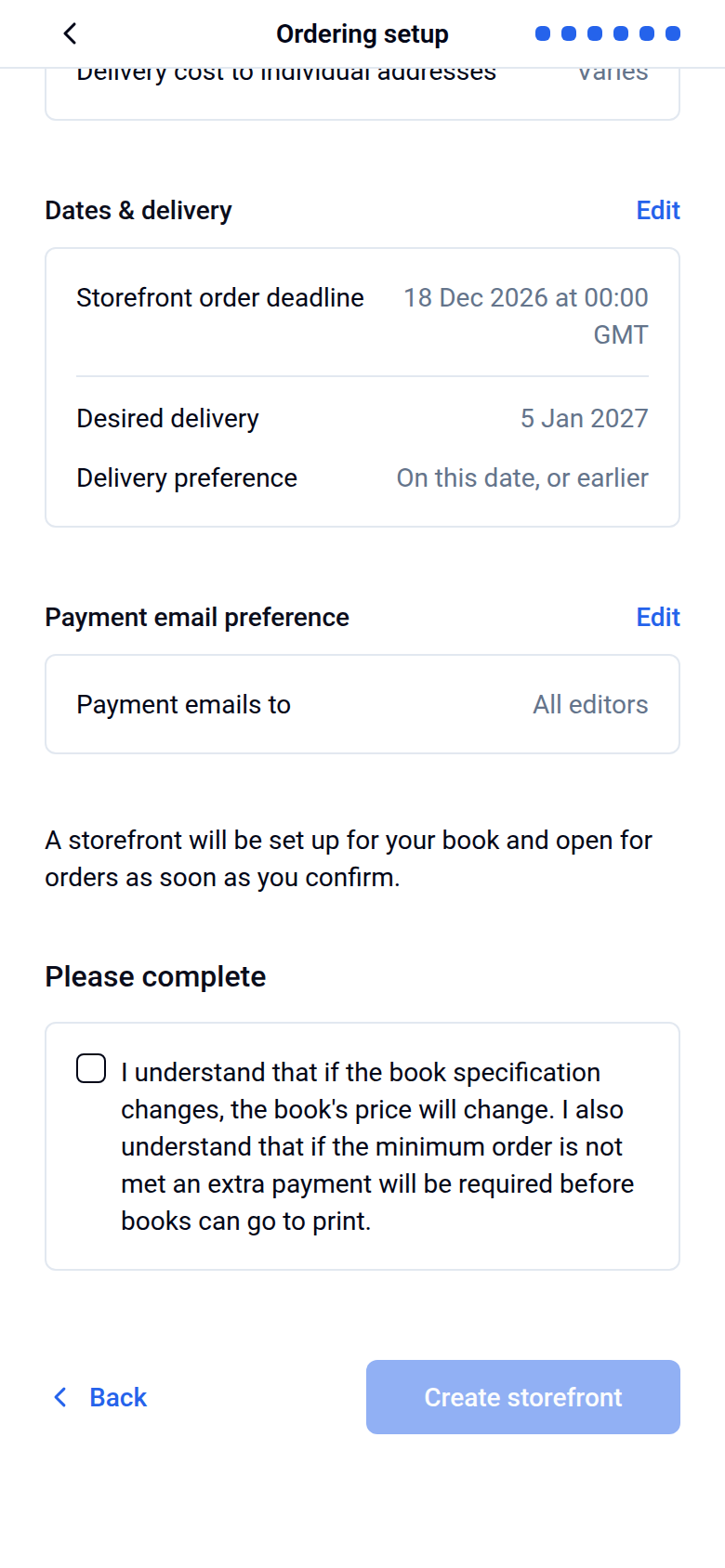
- Your dates: the Desired delivery date and the Storefront order deadline, when your storefront closes to new orders.
You can also add an optional description of up to 150 words to show on your storefront page. Send us the text and we'll add it.
Once your storefront is ready, share the link with parents and students so they can order. You're welcome to share it before the book goes to print.
Settle your page count and cover type first. Your price is based on them, so adding or removing pages or changing your cover after the storefront is set up may change your price. You can still fix other things. For small text fixes such as typos, just tell us and we'll update them before you approve. For bigger changes, click Make changes on the Proof & Print tab of Order & Print › Yearbooks, make your changes and generate a new proof.
If the school is collecting payment itself: choose Storefront, paid by your school under How would you like to order?. Buyers then order without paying online, and your school pays for all the copies in one payment.
Combining a school invoice with storefront sales: The school might buy some copies on invoice while families buy the rest through the storefront. If so, we can combine both under one minimum target to get you a lower price per book. Both parts need to go to print together to keep that price. If they're printed separately, they're priced as separate orders.
Getting an Early Bird discount on your yearbook
If an Early Bird offer is running, you can lock in 10% off your yearbook before your storefront opens:
- Go to the pricing calculator at yearbook.com/pricing and enter your book details. While the offer is open, your price shows the Early Bird discount automatically.
- Select Email my quote.
- Use the link in the email to pay your £200 deposit before the offer closes (31 December).
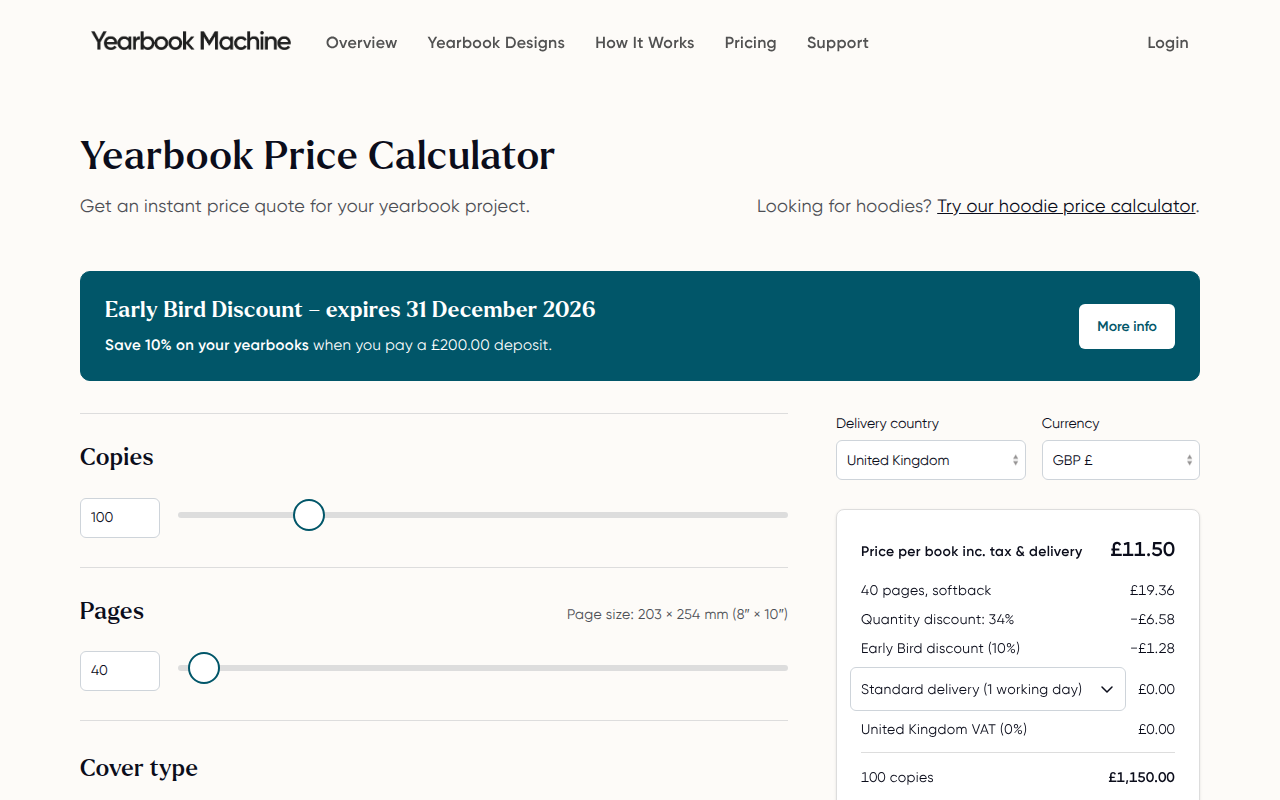
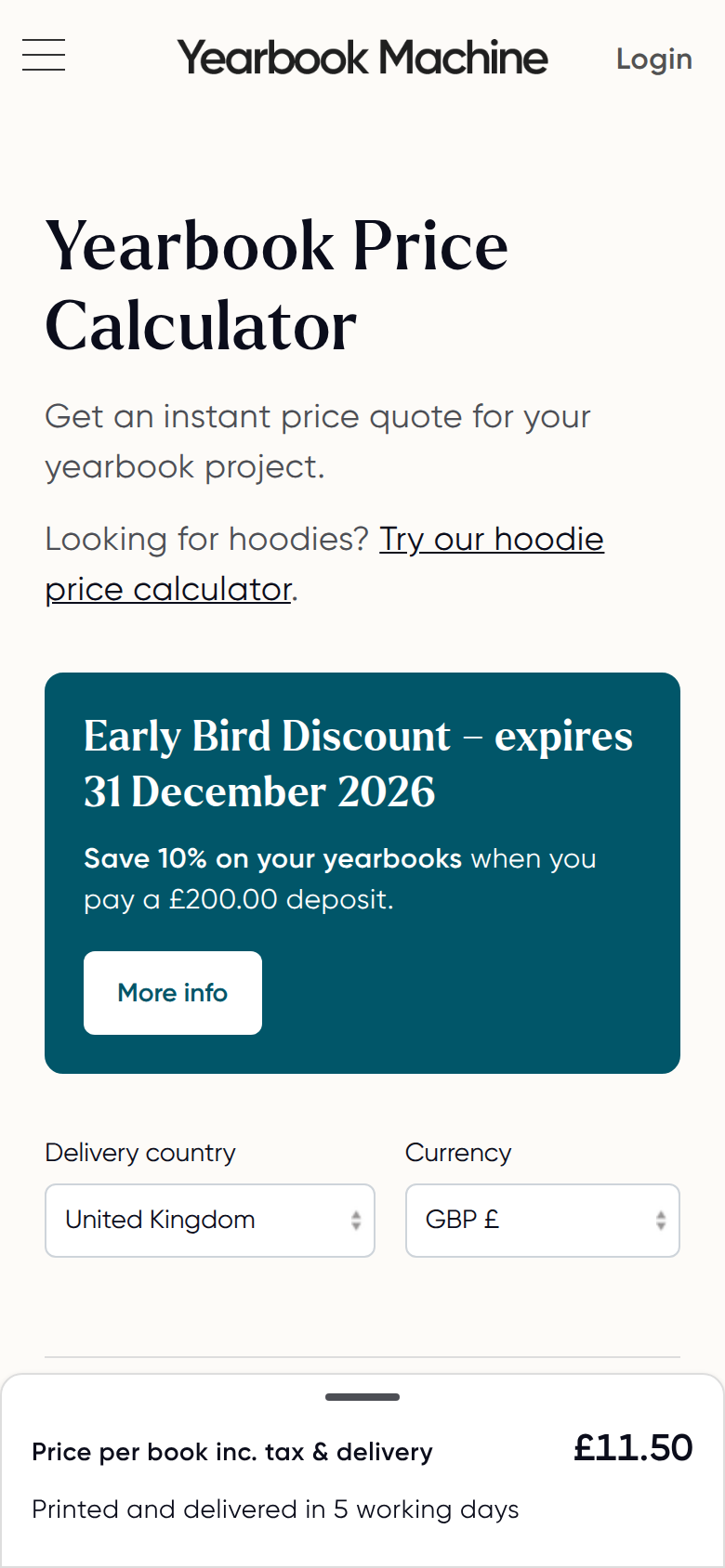
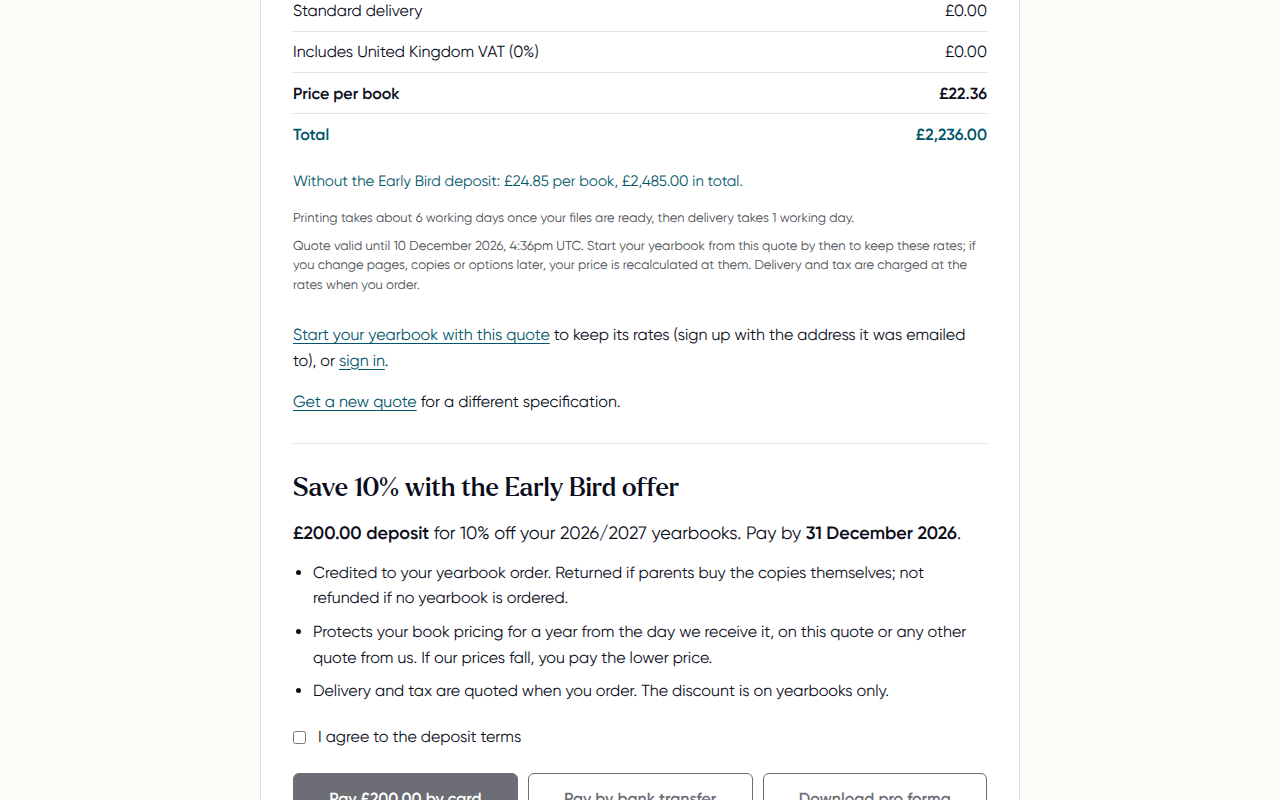
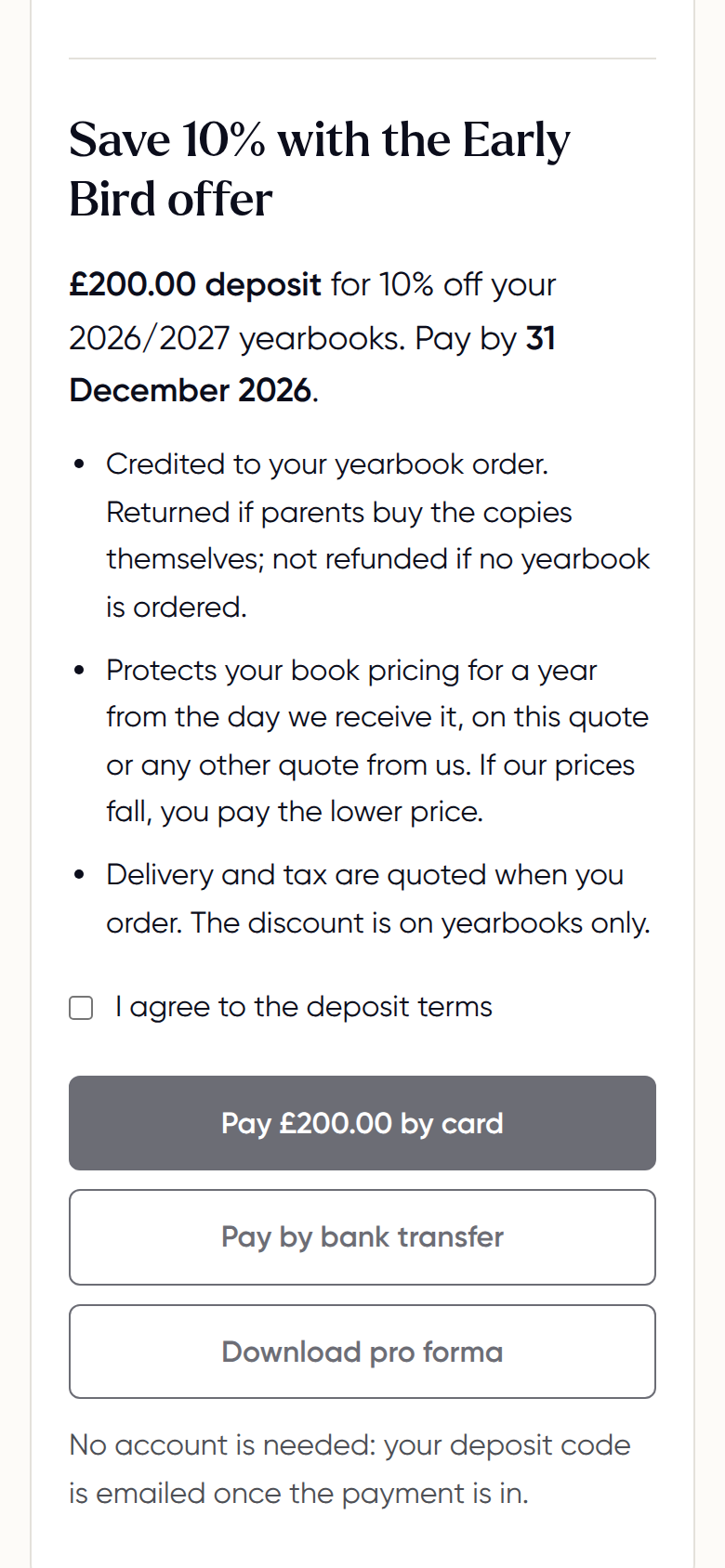
If you'd prefer, contact us and we'll send you a direct link to pay your deposit.
Your deposit counts towards your total order price, and the discount is applied to your order. It can also help cushion the cost if sales come in below your target. To check it's been applied, open Order & Print › Yearbooks. On the Overview tab, the Discount applied row shows the Early Bird discount.
Your deposit may not be needed once your final total is settled. If so, you can choose to have it refunded or rolled over towards next year's yearbook.
The Early Bird discount applies to yearbooks only.
Checking orders and changing your deadline
In Order & Print › Yearbooks, open the Orders tab to see every order. Click Edit next to the deadline, change the Order deadline and click Save changes. A later deadline can move your delivery date.
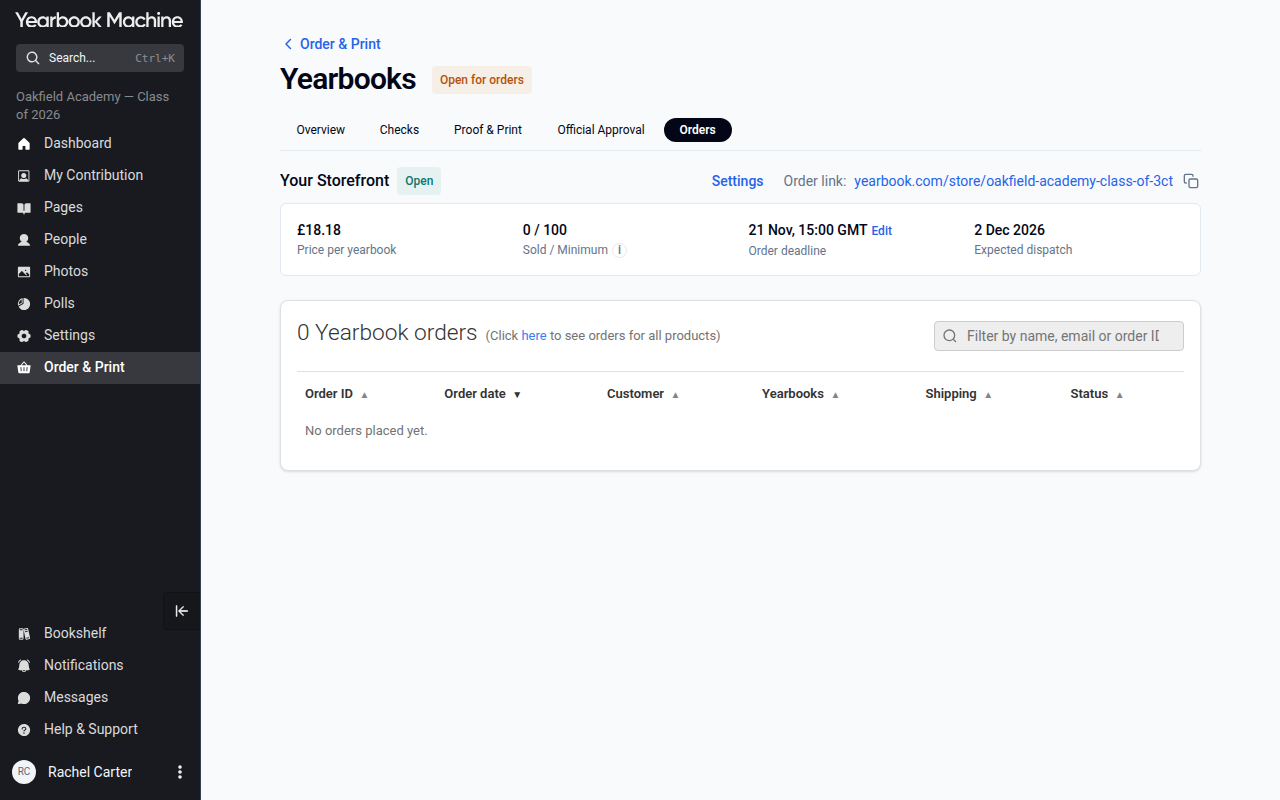
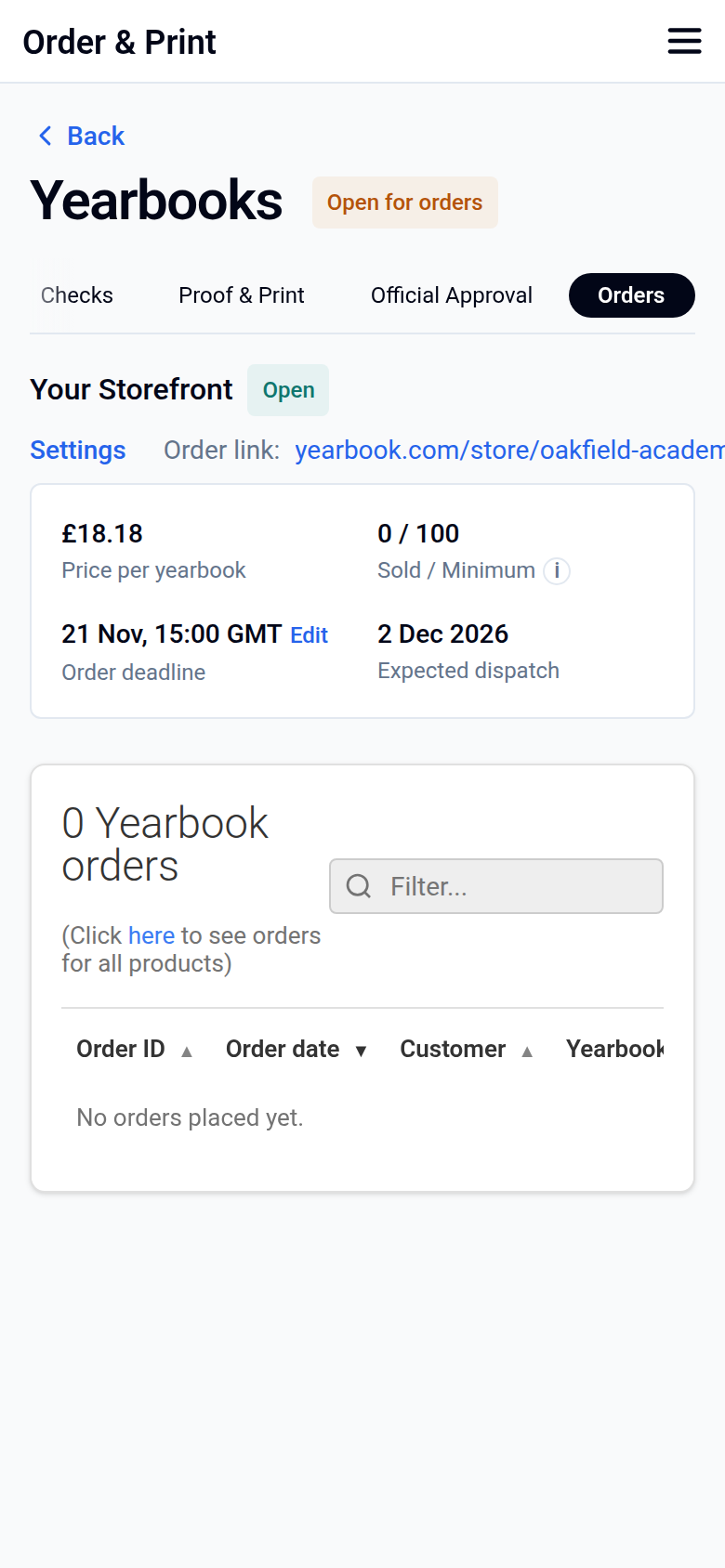
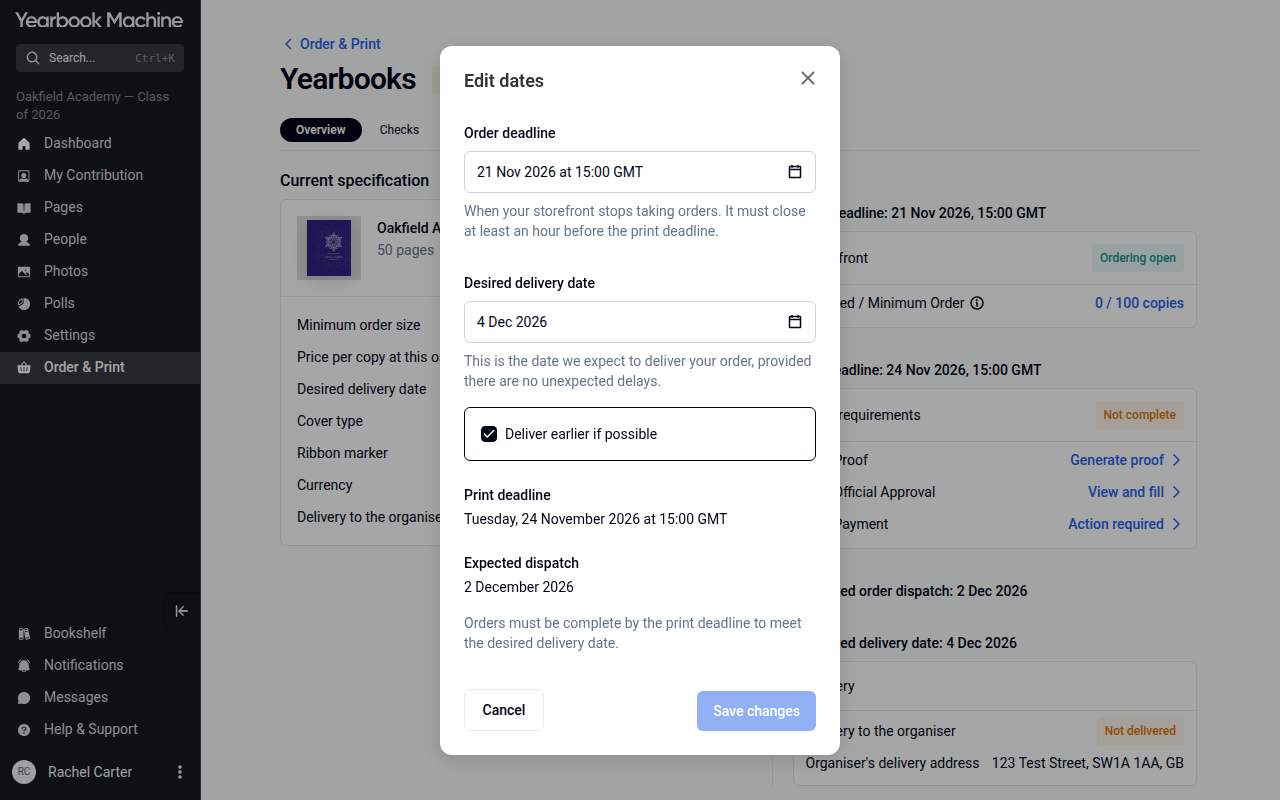
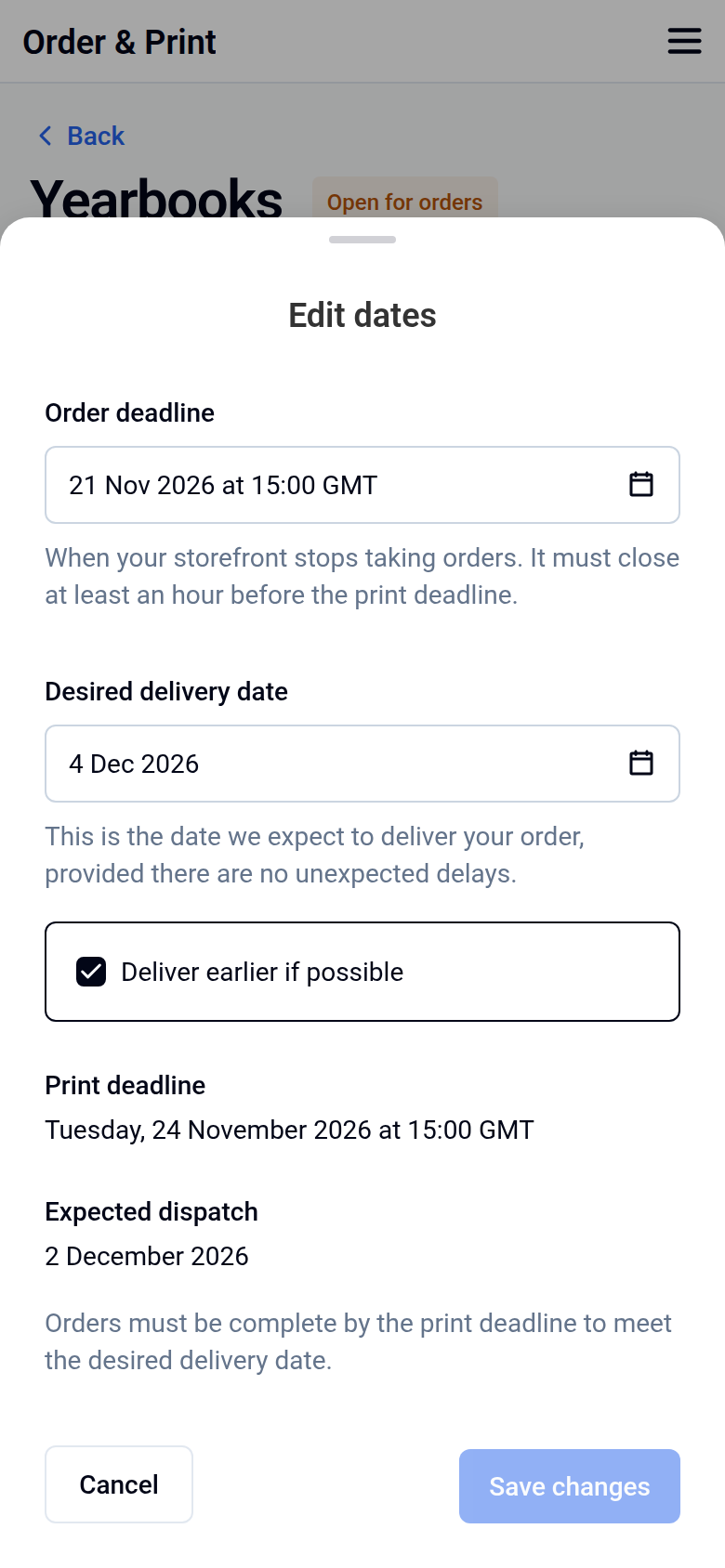
To change your delivery date, change the Desired delivery date in the same Edit dates window.
Need a list of who has paid, to help with handing out books? Contact us and we'll send you an order sheet.
As a guide, final edits are usually due about a month before your delivery date. For example, for delivery on 3 May, final edits are due by 1 April.
What happens when your storefront closes
When your storefront closes, your final order total decides your final price.
If you sell more than your minimum
Your price per book drops to a lower tier, and the Storefront balance card on the Orders tab shows the Surplus owed to you. The book's main editor chooses how it is paid: Refund every buyer their share, or Transfer it to a bank account, such as the PTA's, by entering the account details on the card and selecting Save choice.
If you sell fewer than your minimum
Your price per book rises, and the Storefront balance card on the Orders tab shows the Shortfall. Choose Pay the shortfall, Reduce the spec (for example fewer pages or a different cover), or Reopen your Storefront to sell more copies. A shortfall must be settled before your books go to print.
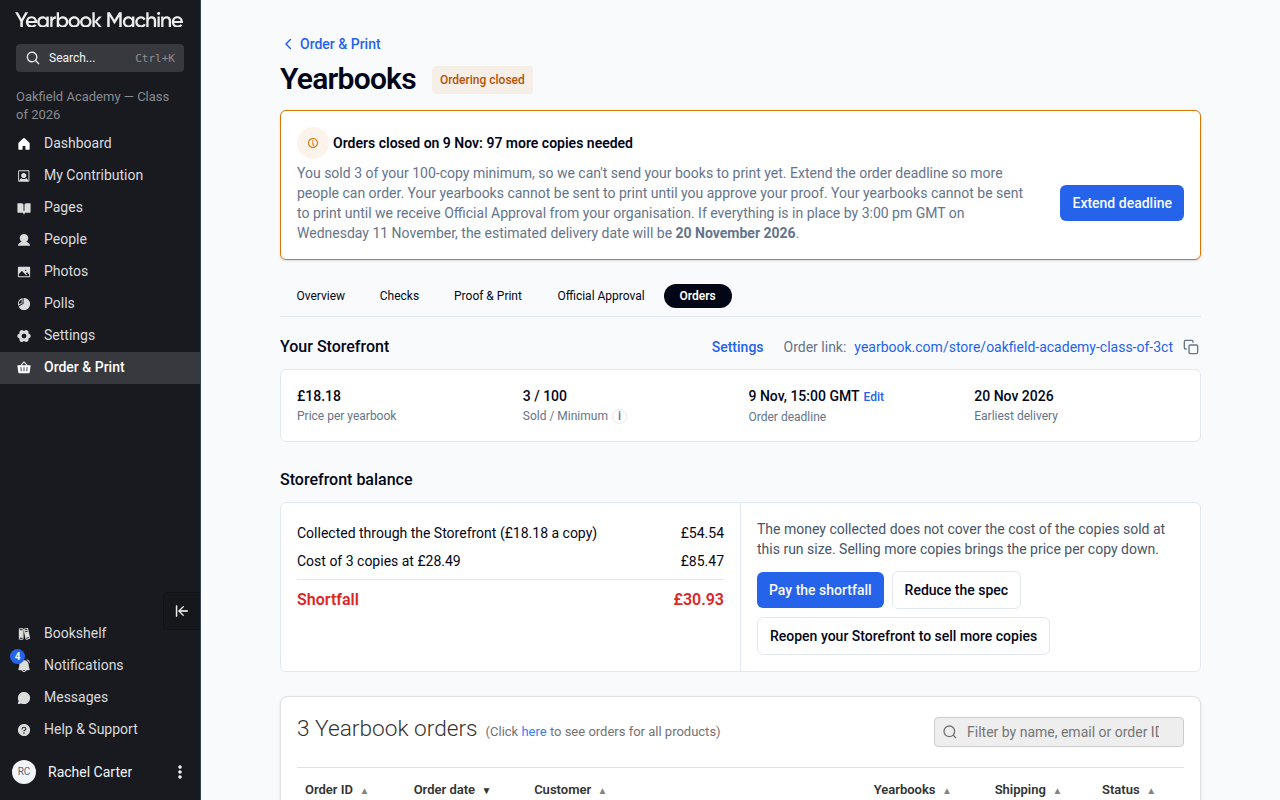
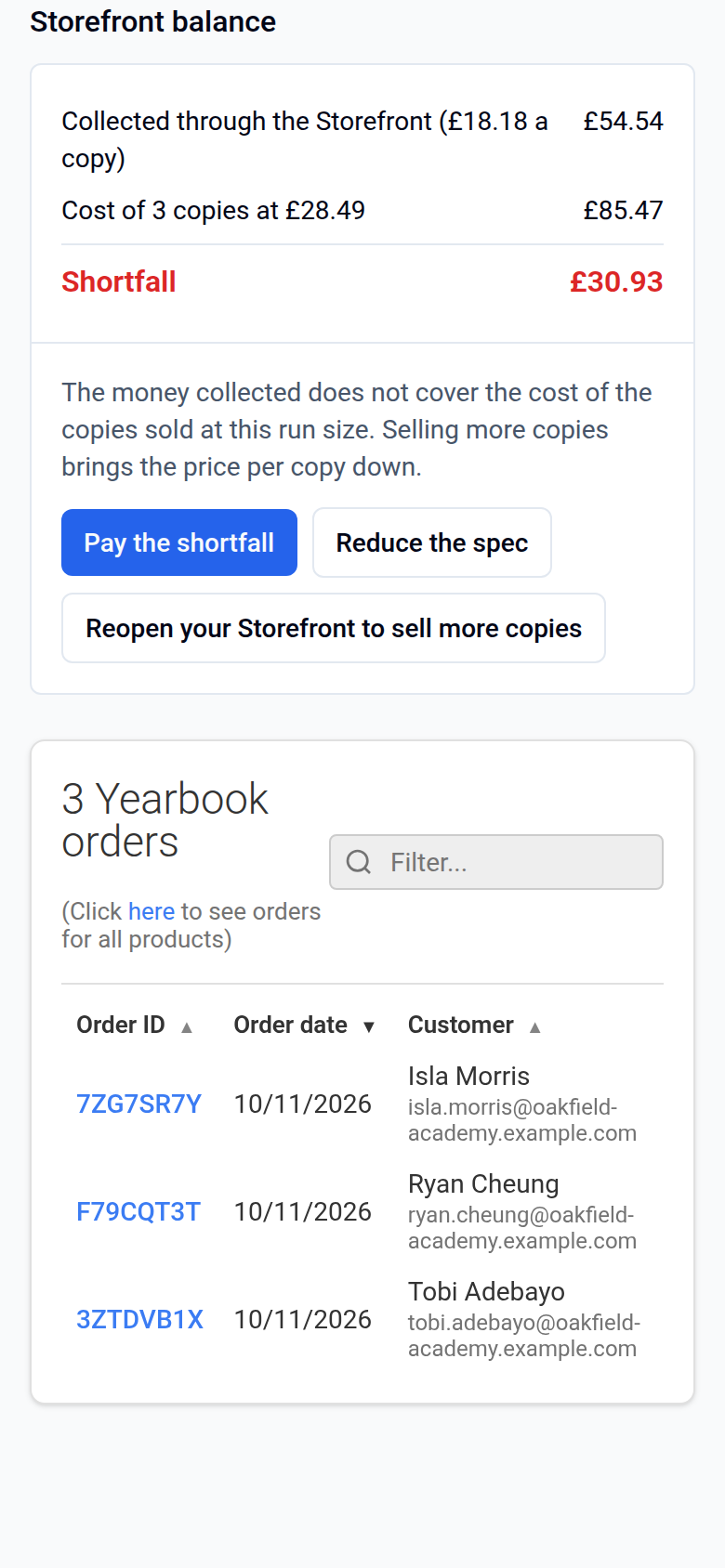
Paying a shortfall covers the price difference only. We print exactly the number of copies ordered and no extras.
Before your books go to print
If your yearbook shows your school's name or logo, we need official approval from a teacher or school authority before production. Students who appear in the book can't approve it on the school's behalf. During school holidays, school inboxes may not be checked, so it helps to give us a second contact. If approval isn't possible, you can remove the school name and logo instead.
Once your book is approved and paid for, printing takes about 4 working days for softback, 6 for hardback and 11 for leatherette. Allow one more day when books are sent to individual addresses. Delivery time comes on top of this.
Changing the number of copies on an invoiced order
You may need more or fewer copies on an invoiced order before production starts. If so:
- Contact us with the exact number of copies you need.
- Check the revised invoice we send you.
Changing or cancelling an individual order
Buyers can manage their own orders:
- Open the order confirmation email.
- Click View Your Order.
- On the order page, click Modify order to change the order, or click Cancel this order to cancel it. You can do this until the storefront's order deadline.
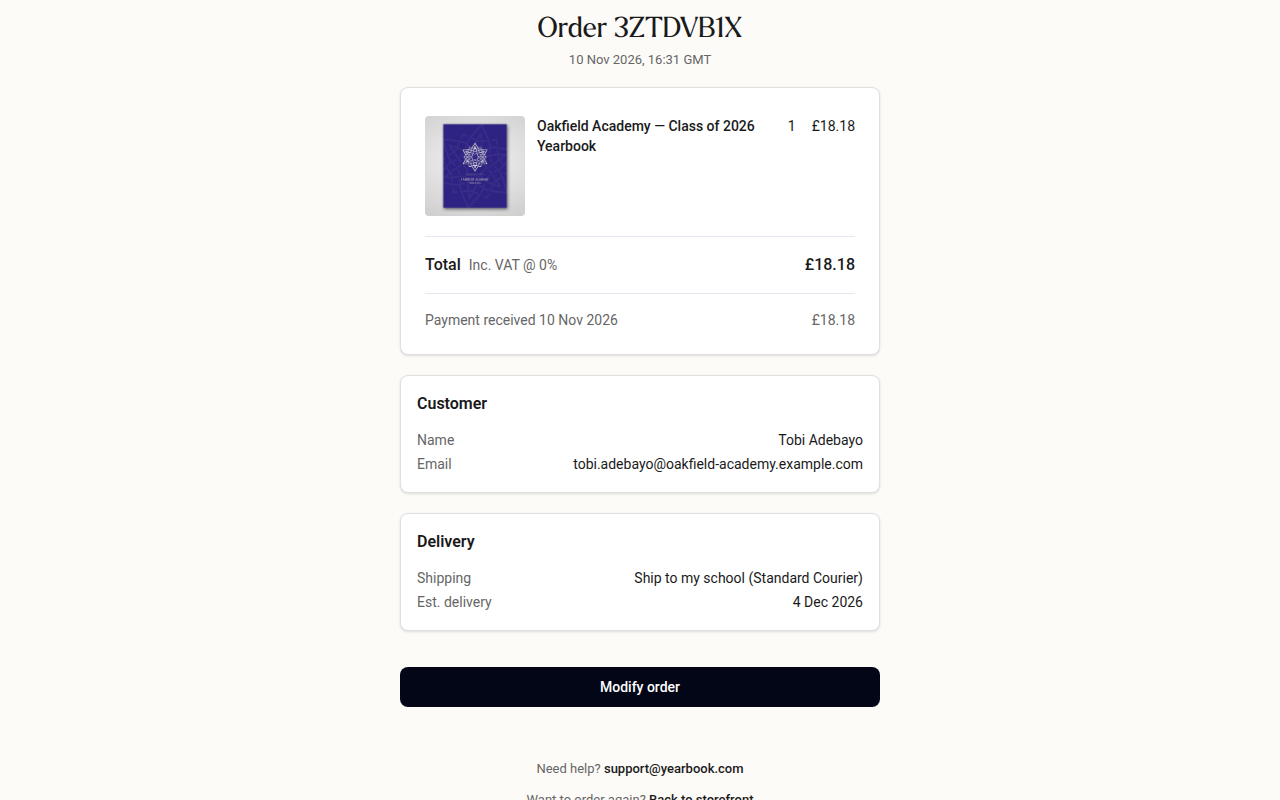
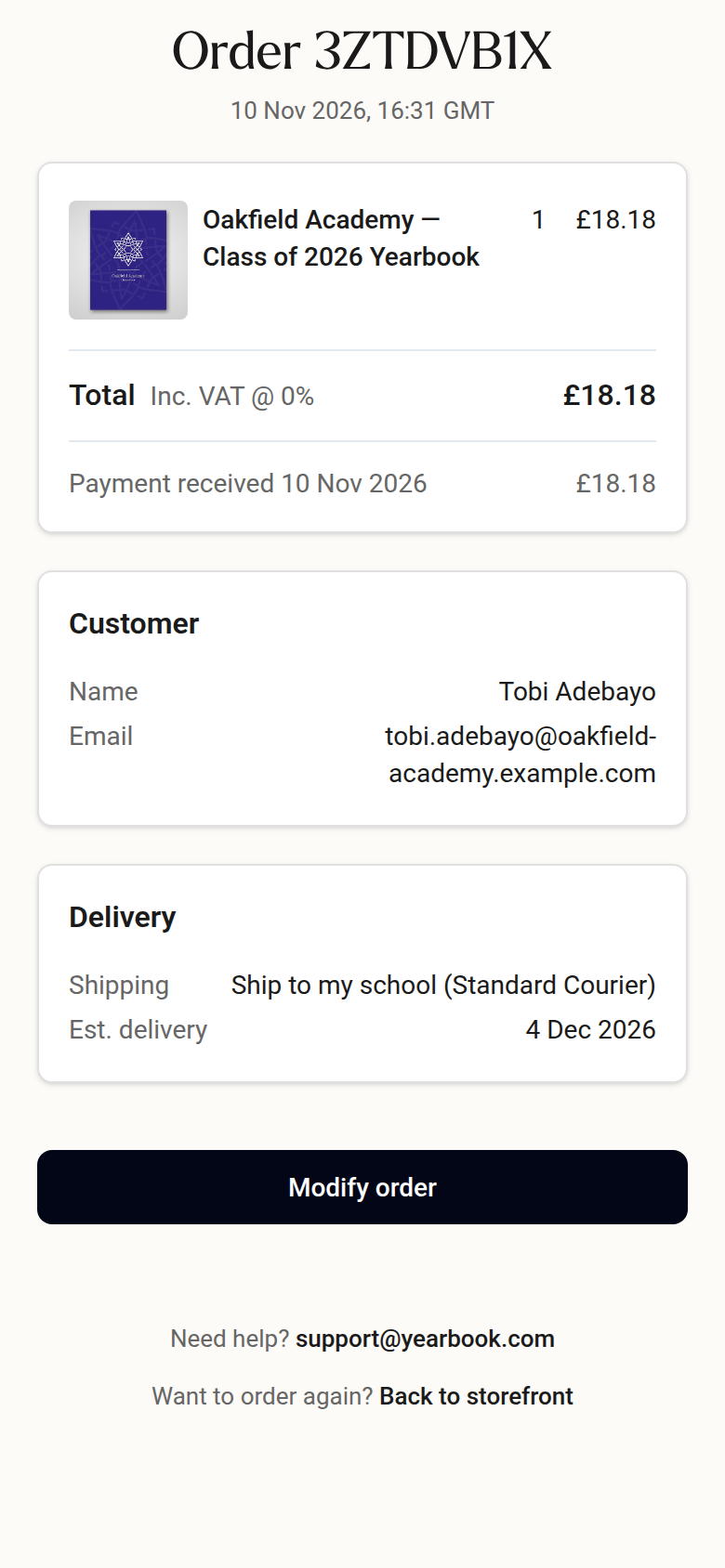
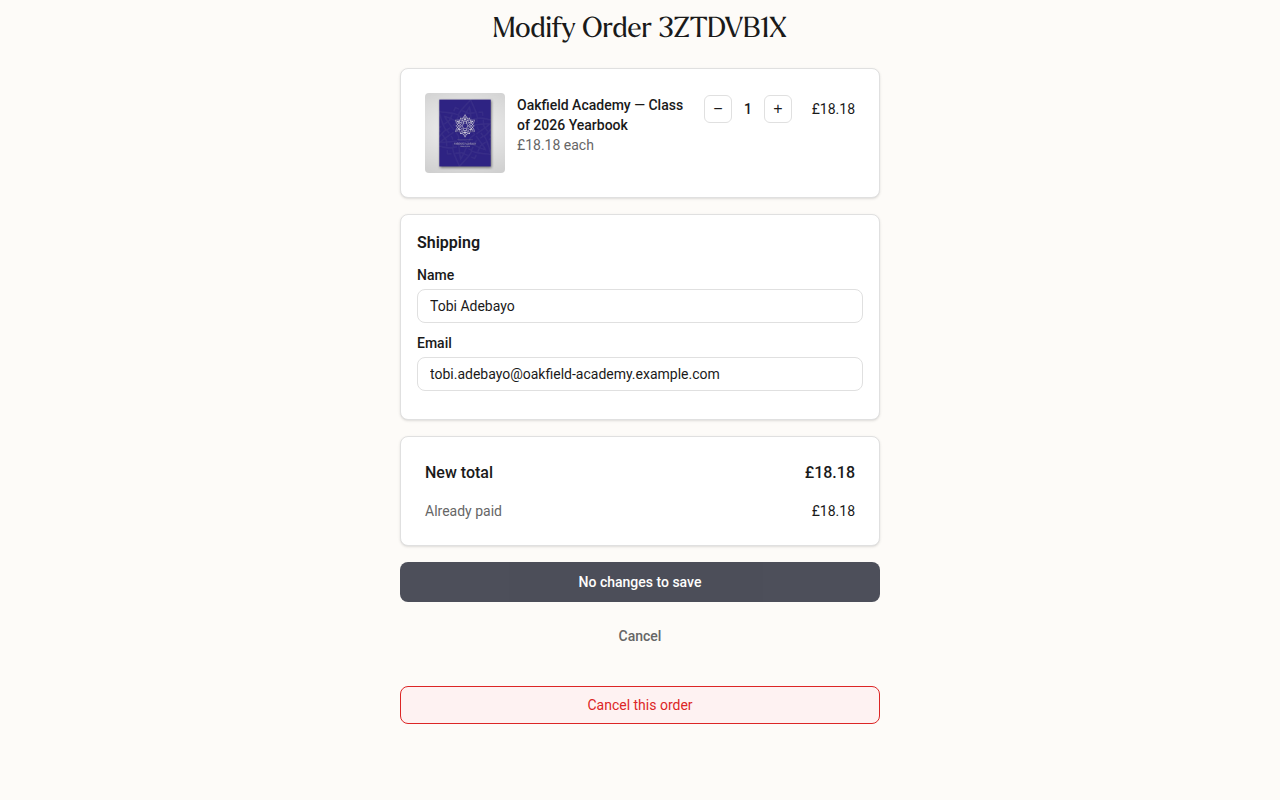
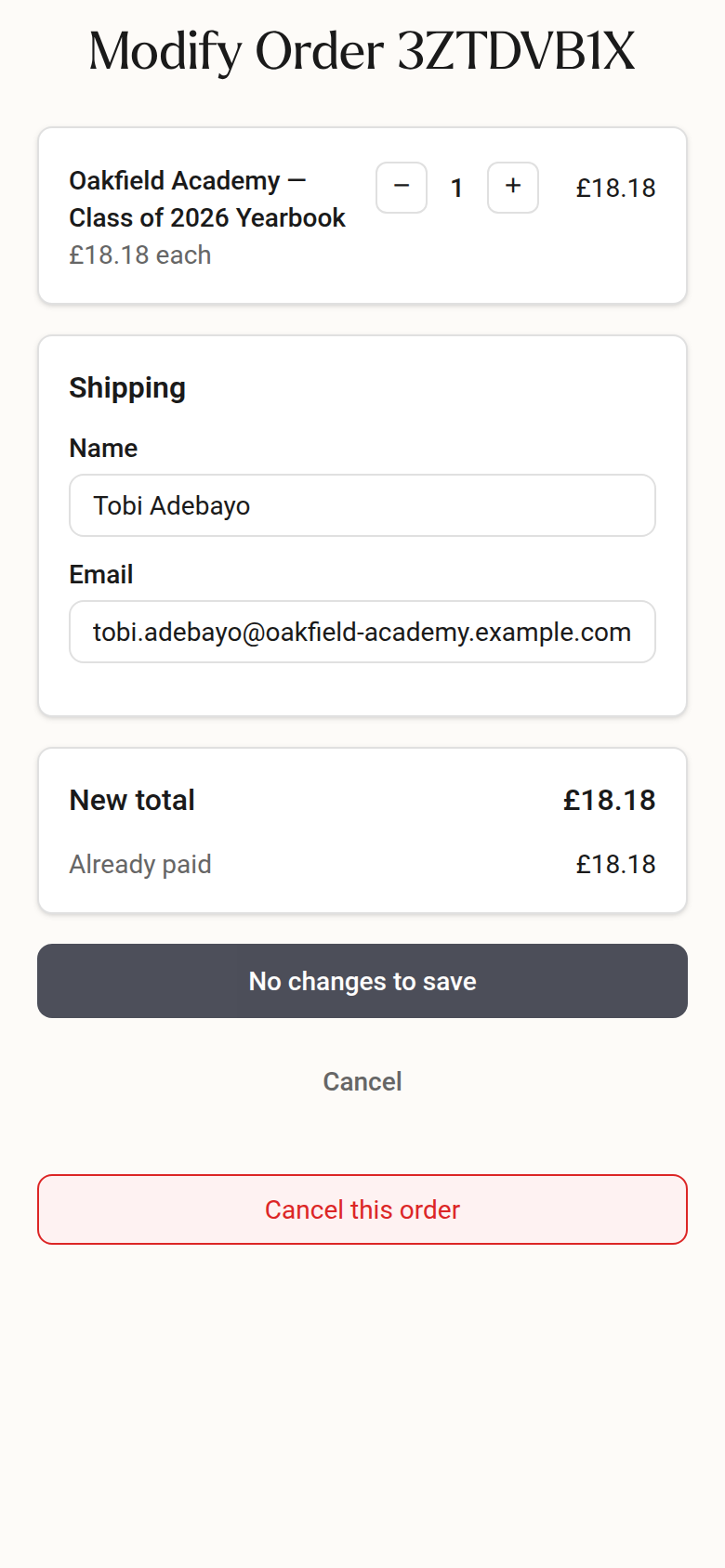
This is useful if someone orders by mistake, for example for the wrong year group. If a delivery address needs changing after the storefront has closed, contact us as soon as possible, before the order is dispatched.
Helping people who order late
Once your storefront has closed and your books are in production, late orders can't join that print run. But single copies and small reprints are possible, and we confirm each request with our printer. There's usually no minimum. Your options are:
-
A second print run: We can reopen your storefront with a new deadline so late buyers can order, then arrange a second print run.
-
A single copy or a few copies: We'll check with our printer and send a price. A small run costs more per book than a large original order, because there's no bulk discount and the setup cost is shared across fewer books. We'll explain the price before you decide.
-
A PDF copy: We can share a digital PDF of the book once the yearbook editor or school coordinator gives permission. To arrange this:
- Contact the yearbook editor.
- Ask them to email us directly giving permission to share the PDF.
- We'll send the PDF once we've received their email.
Please note we can't supply print-ready files for anyone to have the book printed elsewhere.
Reprint prices: A reprint is priced for its own quantity, using the same calculator as any other order. We look at each reprint individually, and we can sometimes reduce the price when a small run costs much more per copy than your original order.
You may be expecting a refund from your first print run and also planning a second run. In that case, we can hold your refund until the second run is complete. It can then cover the cost of, or any shortfall on, the extra copies.
If you're a parent who missed the deadline, or want a copy of an older yearbook
- Contact us with your school's name, the year of the book and your home delivery address.
- We'll check with our printer and confirm the price, including home delivery. It depends on the page count and cover type.
- If you're happy, we'll send you a link to a secure order page. Enter your delivery details and pay online.
- We'll email you once your book has been sent to print.
We can't take payments over the phone, so we'll always send you a payment link instead.
If you can't find your school with us, your school may be using a different yearbook company. Please check with your school office or yearbook adviser.
Fixing a mistake after your books are printed
If you spot an error once your book has been printed, we can reopen it so you can make corrections:
- Contact us and ask for your book to be reopened for editing.
- Make your changes in the editor, or ask us to help with layout or image adjustments.
- Choose either a reprint (we'll confirm the quantity and price with our printer) or a single-page replacement sticker (around £15), which is a cheaper way to cover one page.
- Approve the new proof when we let you know it's ready.
- Pay the invoice using the payment link.
Your corrected order goes into production once the proof is approved and payment has arrived.
Hoodie storefronts
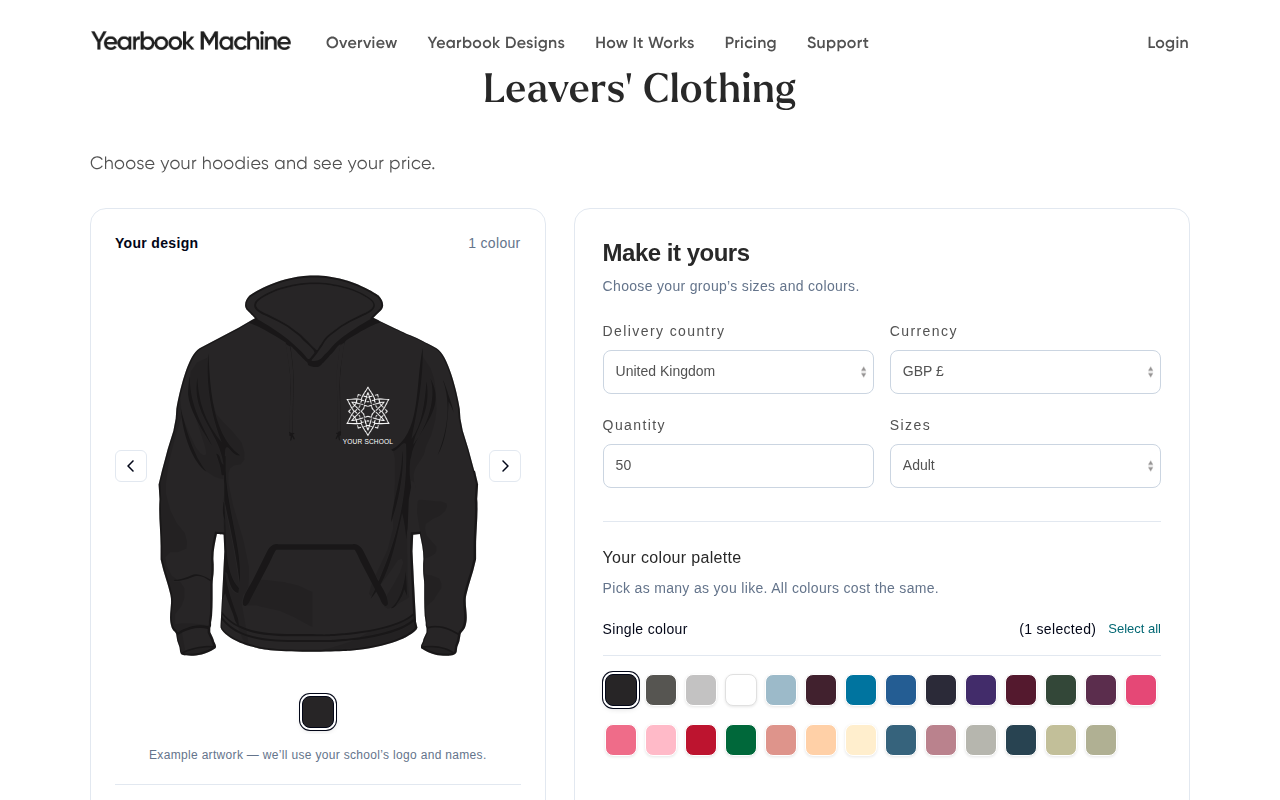
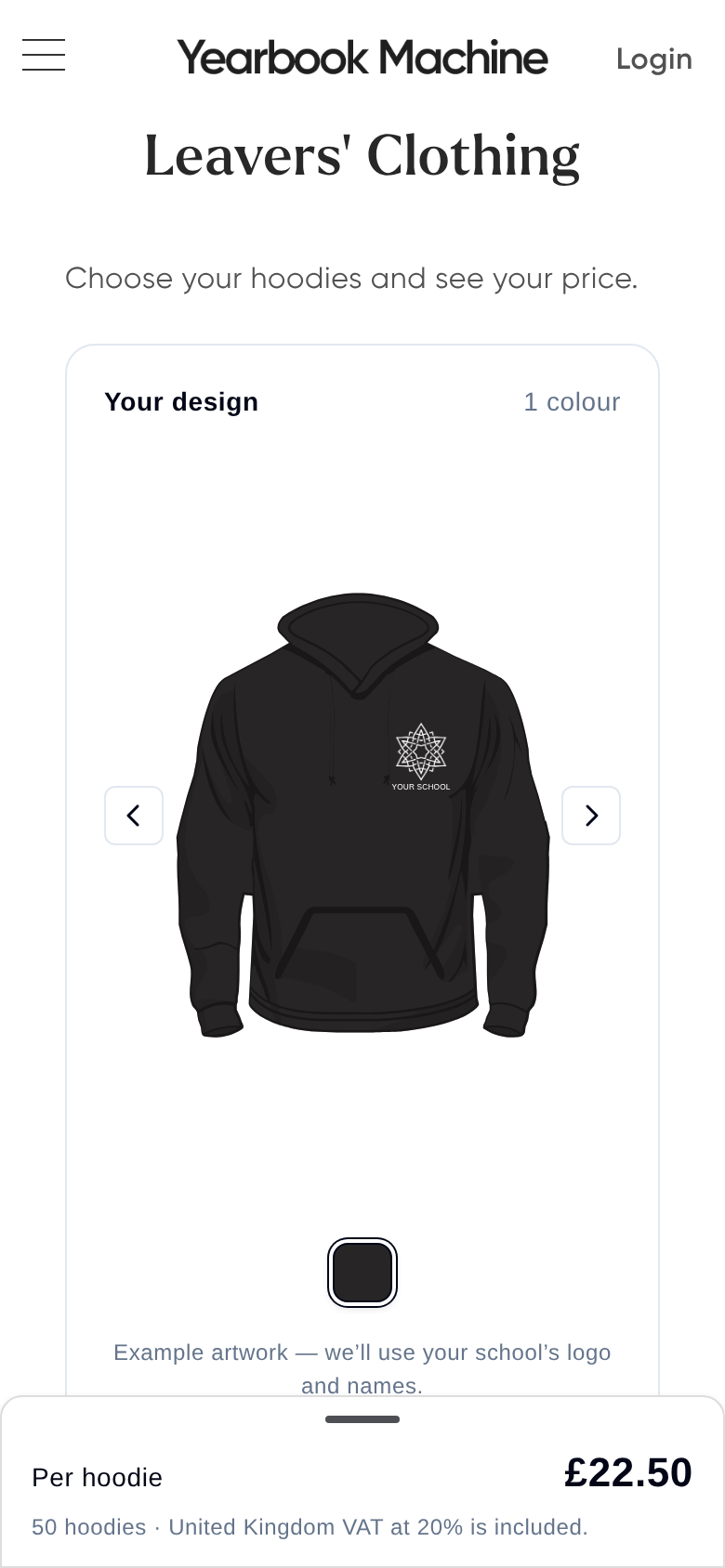
Leavers hoodies can be sold through a storefront too. See the available colours, options and current prices at yearbook.com/hoodies. Hoodie orders start from 5.
- Ask us to set up a hoodie storefront. Include these details:
- your colour and design choices
- a rough quantity
- your delivery address
- when you need the hoodies
- how you'd like to pay
- If you want names on the hoodies, send us your student list in a spreadsheet. Tell us whether to use full surnames or initials.
- Review and approve your design mockup. The mockup link is emailed to you, so check your spam or junk folder if you can't find it.
- Share the storefront link with students or parents.
- Students choose their size, colour and name before the deadline.
Would students like to see a hoodie before buying? Ask us about a sample and we'll do our best to arrange one.
Plan your dates: Your hoodie storefront needs to close, and your mockup and name list need to be approved, at least 3 weeks before you need the hoodies. Tell us your delivery date and we'll work out these deadlines for you. Hoodies go into production once we've received payment or your purchase order. Production usually takes around 15 working days, with delivery on top.
Design: Back prints can be up to 280mm wide. If your design is wider, we can resize it to fit. Adding a second line of text under a name, such as a department for staff hoodies, is free.
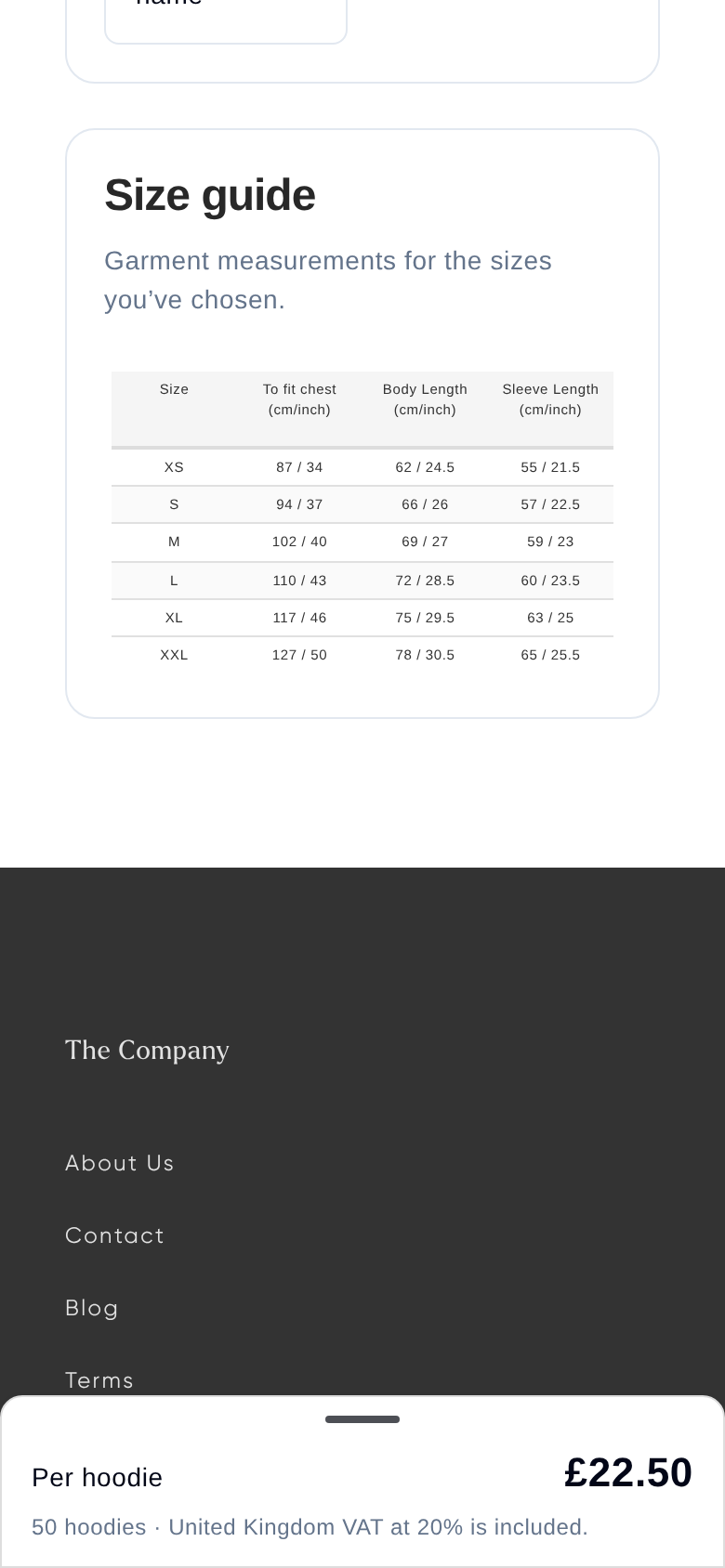
Sizes: Children's and adult sizes can be mixed in one order. To choose a size, measure across the chest of a hoodie that fits well and compare it with the size guide on your storefront. Children's hoodies don't have drawstrings, for safety; adult ones do. Older pupils who want a baggier fit, or whose usual children's size is out of stock, often choose adult XS or S. Adult sizes run from XS to 6XL in single-colour hoodies, and from XS to 3XL in two-colour hoodies. Children's sizes run from 3 to 4 up to 12 to 13 in single colours, and up to 9 to 11 in two-colour hoodies. We check the sizes you need against current stock when we confirm your quote.
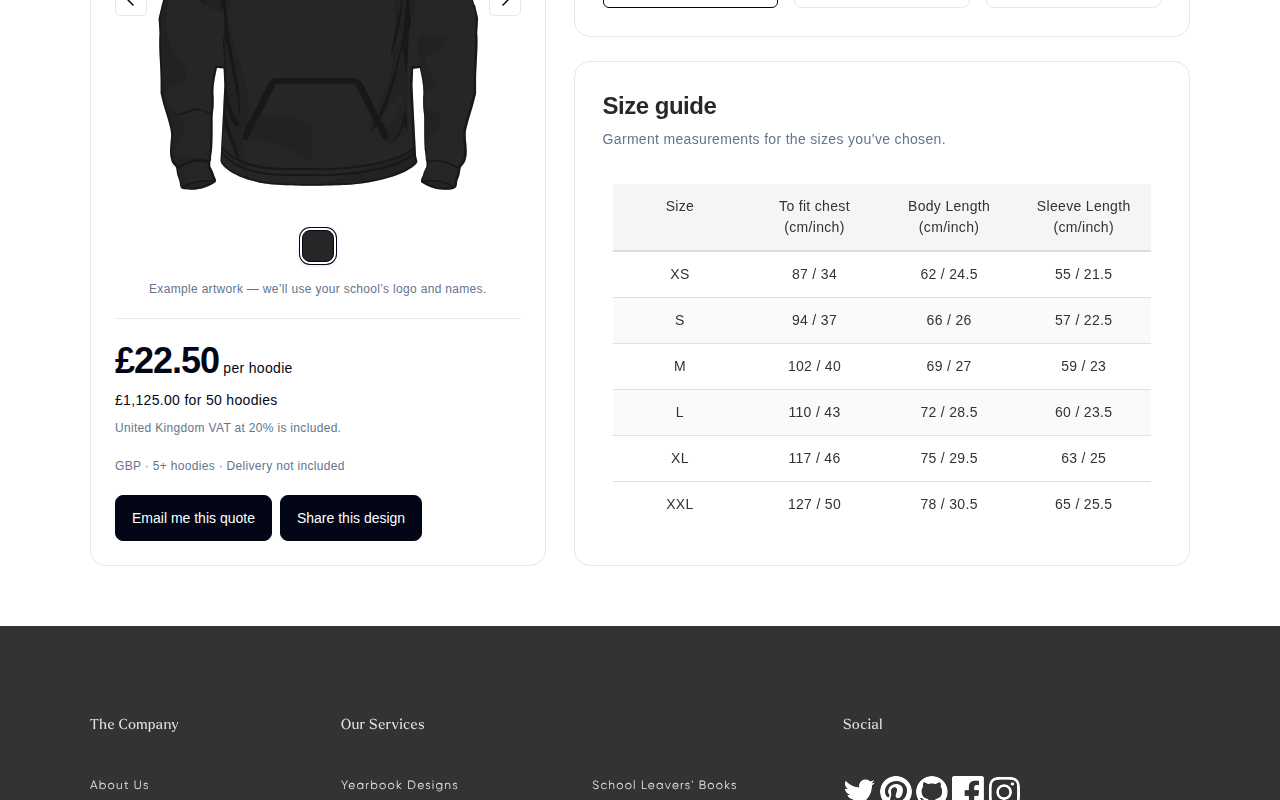
You can choose how hoodies are paid for:
- Students pay by card when they order.
- The school pays: Students make their selections without paying, and the school is invoiced for the final total.
- A mix of both.
Delivery to school is free for 10 or more hoodies to mainland UK, or students can choose home delivery for a small fee at checkout.
Selling hoodies and yearbooks without duplicate orders
If families have ordered twice in the past, choose one of these:
- One storefront for both: Hoodies and yearbooks are sold together. Your yearbook details (such as page count and cover) need to be agreed before it opens.
- Separate storefronts at different times: Sell hoodies first and open a yearbook storefront later in the year. This spreads the cost for parents and gives pupils who join mid-year a chance to order.
You can start designing your yearbook before any storefront opens: log in, go to your Bookshelf and select Create a book. You can copy settings from last year's book as a starting point.
If your school collects payment itself
You might collect hoodie money through your own system, such as ParentPay. If so, we can set your storefront up so students order without paying online. Tell us the payment instruction you'd like students to see, for example "Make payment via ParentPay".
If you offer different prices to different students, for example subsidised places or bundles, we can also hide prices on your storefront so students only see the products.
Please make sure the full payment reaches us before the hoodies go into production.
Other ways to order and manage hoodies
If you'd rather not use a storefront, you can collect sizes, colours and names yourself, then send us the list as a single school order.
You might want names on the back taken from students' yearbook profiles. If so, make sure every student has signed up first.
If you need to, we can extend your hoodie storefront deadline. We can also add or remove orders after it closes, for example to add missing sizes or remove duplicates.
Ordering extra hoodies after delivery
Need a few more hoodies once your main order has arrived?
- Contact us with the exact sizes, colours, names and quantities you need.
- Check the quote and invoice we send you. A small extra order costs more per hoodie than your main order, because it falls into a lower quantity band.
- Confirm where you'd like them delivered, and pass the invoice to your finance team for payment.
Hoodie prices
Hoodie prices come from the live calculator at yearbook.com/hoodies, and depend on the total number ordered, your design and your garment colours. Please use the calculator rather than older price lists, which may be out of date.
Hoodie prices are the same whether or not you order yearbooks.
Your final total might fall below a quantity band, for example 100 hoodies. If it does, the price per hoodie goes up, so keep this in mind when estimating.
Was this article helpful?
Sorry, that didn't send. Please try again in a little while.
Thanks. That helps us improve this article.
Any other questions?
Email support@yearbook.com and we'll help you out.